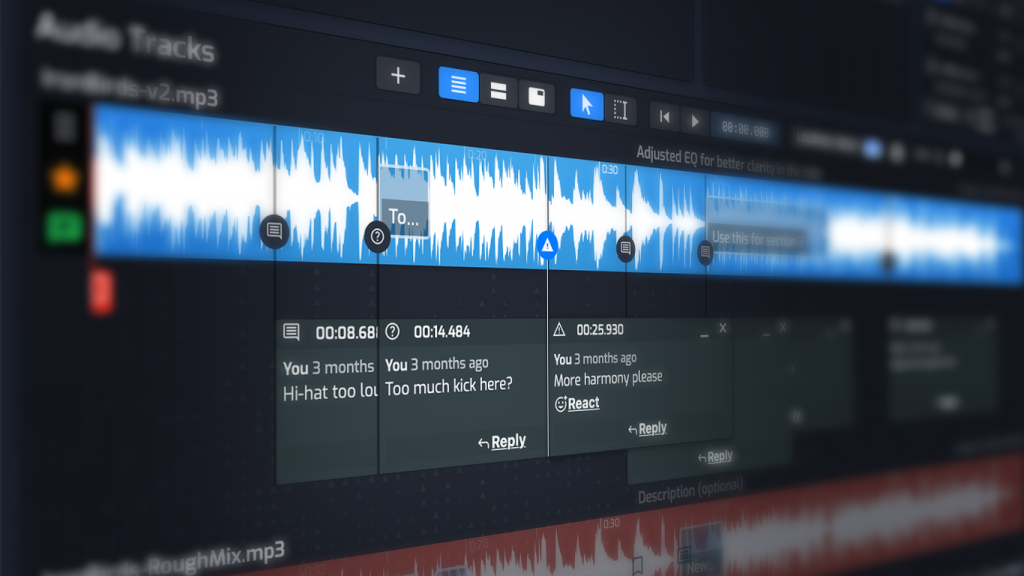
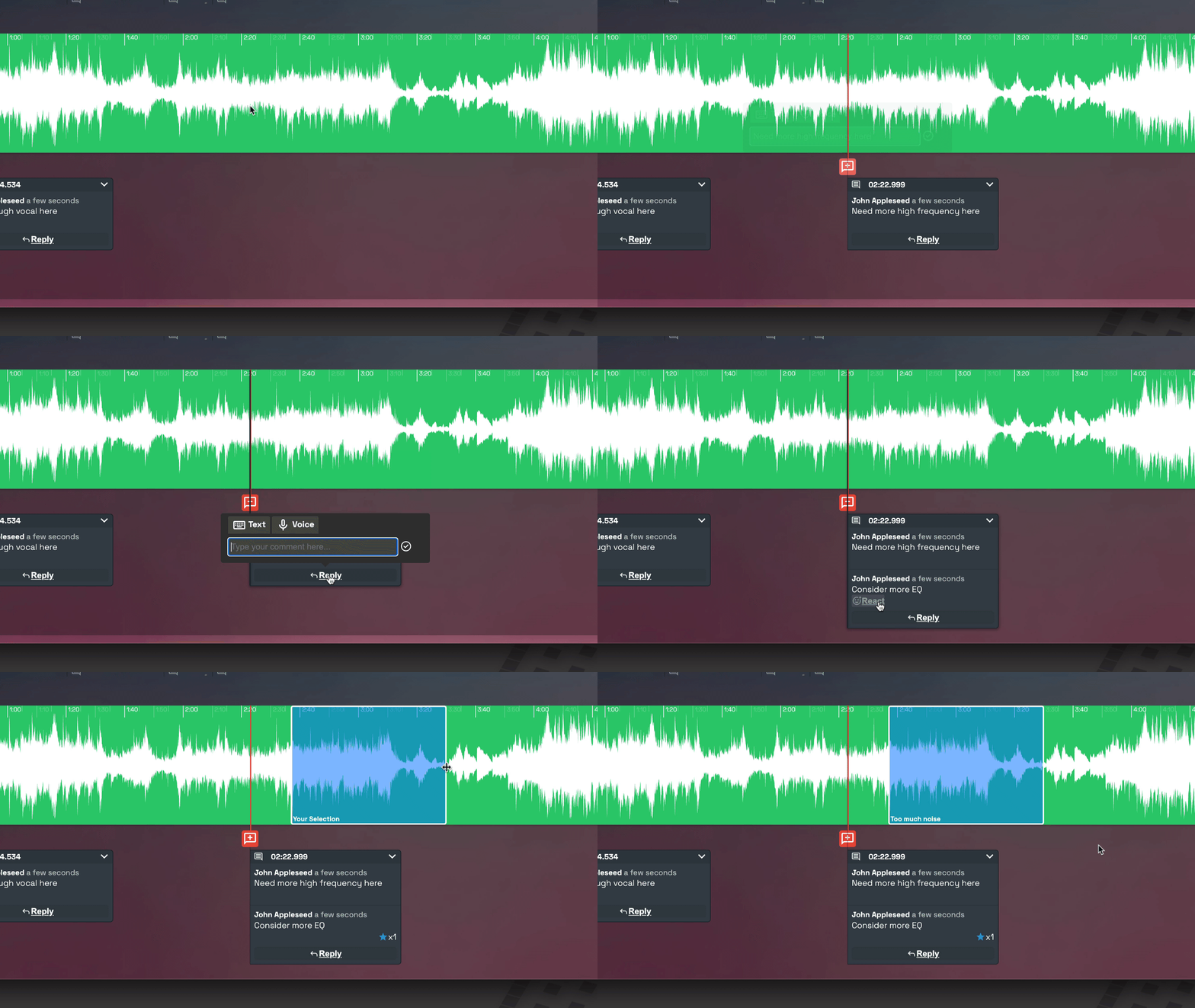
No more scattered emails, text messages, or endless email chains. Clients leave simple and actionable feedback directly on the mix. Every note stays attached to the correct version and timestamp.
From ...
Feedback buried in numerous email threads
Notes like “something feels off around the chorus”
Multiple back-and-forths just to clarify what the client meant
To ...
Conversations pinned to exact spots on the track
Clear, specific feedback you can act on
Fewer revision rounds, less guesswork
No need to search across multiple emails
Move Through Revisions Faster
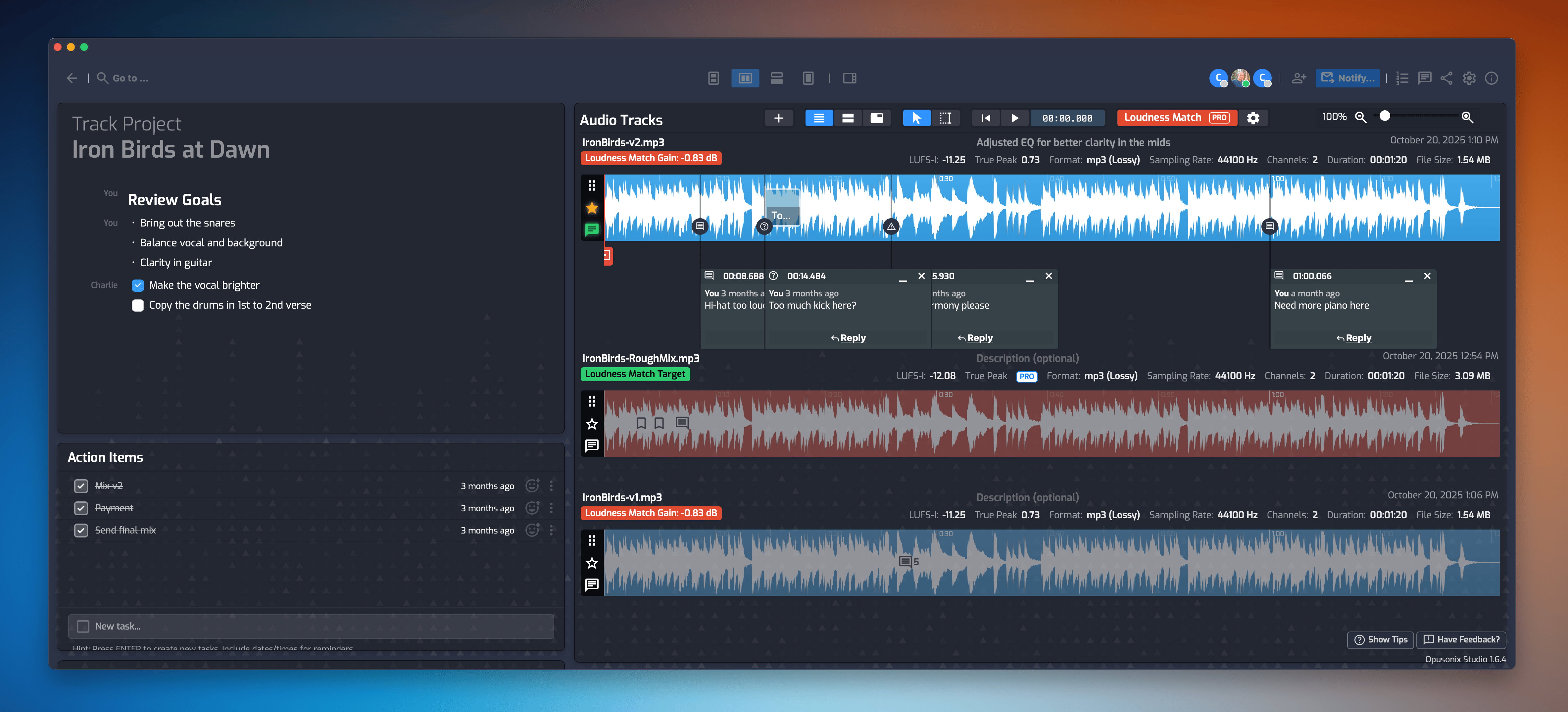
Track resolved comments, organize mix versions, and keep communication tied to the project. Spend less time managing feedback and more time producing.
Give Clients a Smooth, Professional Review Experience
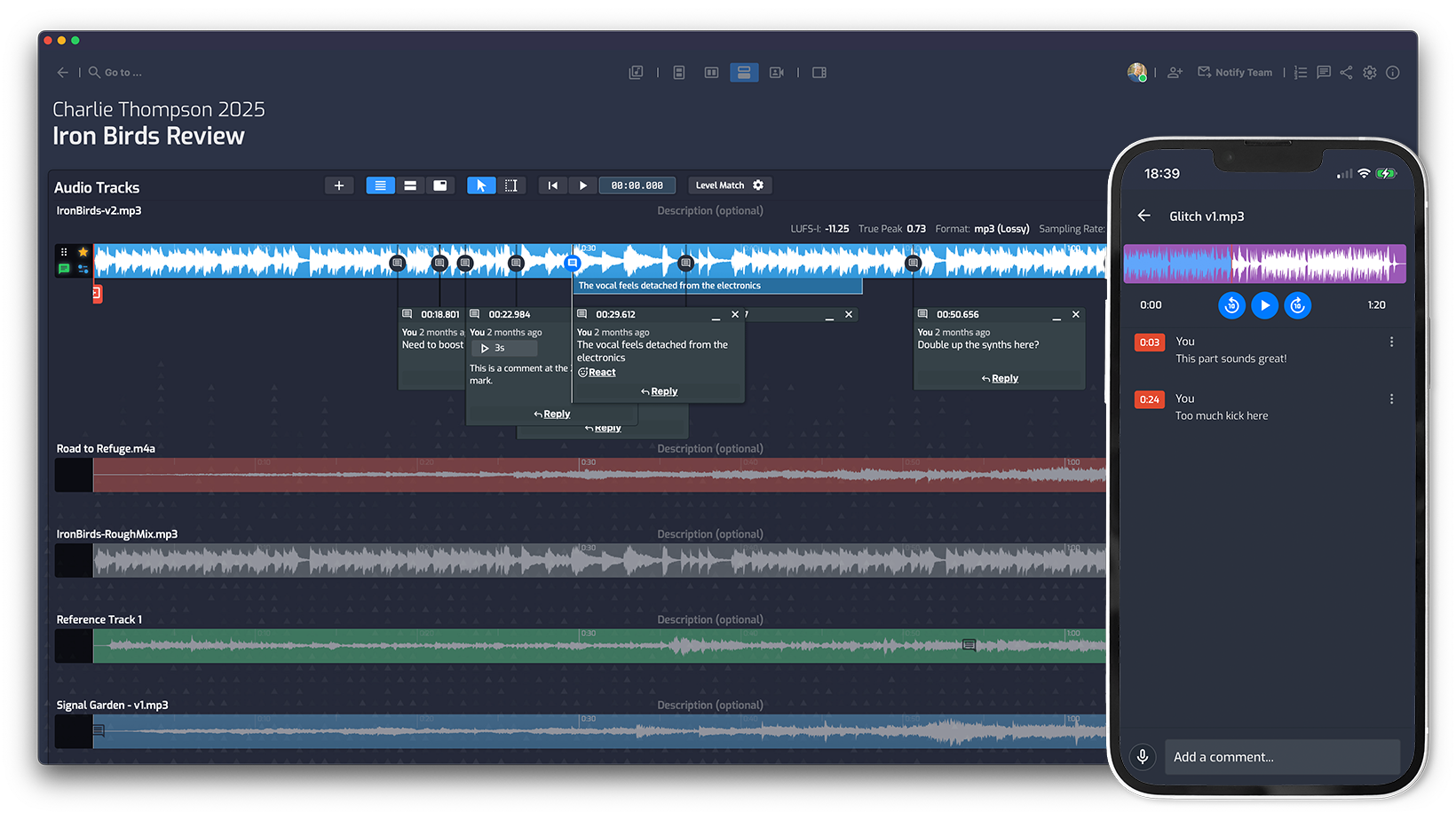
Clients can upload files, review mixes, and leave comments without the messy back-and-forth.
A simpler, smoother process builds confidence and helps projects stay on schedule.
Prevent Mix Fatigue During Revisions
With Opusonix, long-running mix projects are easier to manage.
Decisions, mix revisions with change logs, and quick A/B allow you to stay on track and finish faster.
Reduce Revision Chaos and Keep Projects Moving
Give your clients a better way to review mixes — while saving hours of back-and-forth communication.
Clients can listen to mixes directly in the browser and leave timestamped comments tied to specific moments in the track.
Do clients need to create an account?
No. Clients can review files and leave feedback through a simple shared link. But behind the scenes, Opusonix creates a user account for your client automatically so that all data will be accessed securely. But for your clients, all they need to do is to click on a link, type in their name, and they’re in the track workspace.
Can I organize multiple mix versions?
Yes. Keep revisions, uploads, and feedback organized inside a single, coherent project workspace.
Can clients upload reference tracks or stems?
Yes. You can request and receive files directly inside the project workspace.
Is Opusonix built specifically for music production workflows?
Yes. Opusonix is designed for producers, mixing engineers, mastering engineers, and other audio professionals managing collaborative projects.