From Grading Faster to Teaching Better: What Two Professors Found Using Opusonix for Audio Assignments
When a student submits a composition or a sound design project, the instructor hears the result but not the thinking behind it. Many instructors piece the rest together from a written description, a Word document, or a spreadsheet of timestamps.
This semester we piloted Opusonix for Instructors in three university courses taught by two instructors: composition, sound design, and media art. It was an exploratory pilot, not a formal study, and the instructors shared their experience in short interviews. Below are four educational values that came out of it.
Table of Contents
Grading is much faster with the student’s intent in view
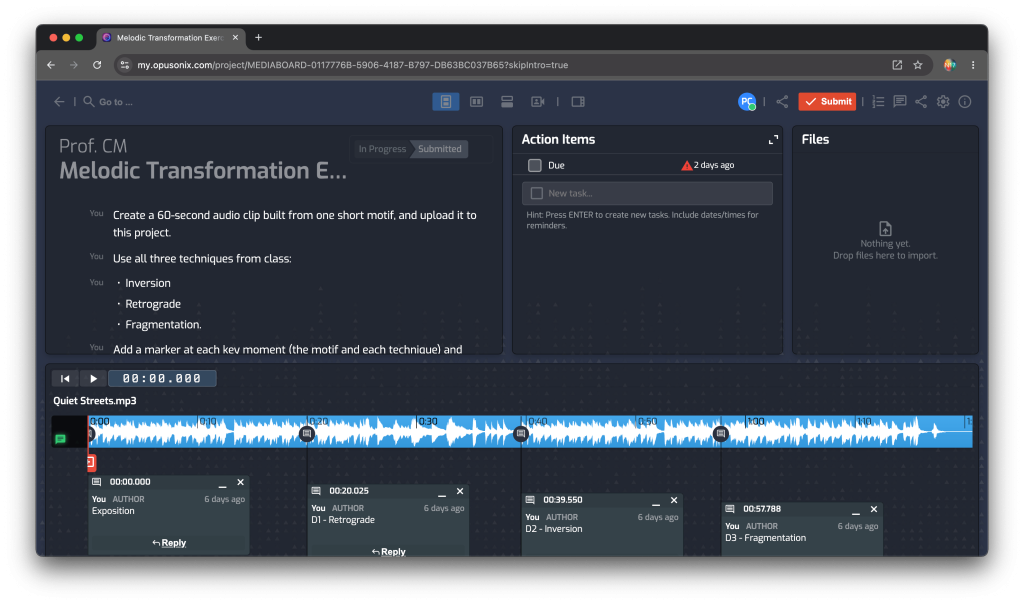
In the composition course, students used to submit a written description and an audio recording through Canvas. Now each student submits a link to an Opusonix track project, with timestamped comments describing what they were trying to do at specific moments. The instructor reviews the work in Opusonix and enters the grade in Canvas.
The instructor noticed that grading became “way easier” and “much faster.” Before, he could only listen to the music. Now he sees what students were attempting and whether they achieved it, and he described the experience as “the next best thing” to sitting in the same room with the student.
In the sound design course, the instructor compared the workflow to what it replaced: a YouTube link, a Word document, and a timestamp spreadsheet. He reported higher engagement and less friction, and said it felt almost gamified to students.
Giving feedback is way easier to support the iterative creative process
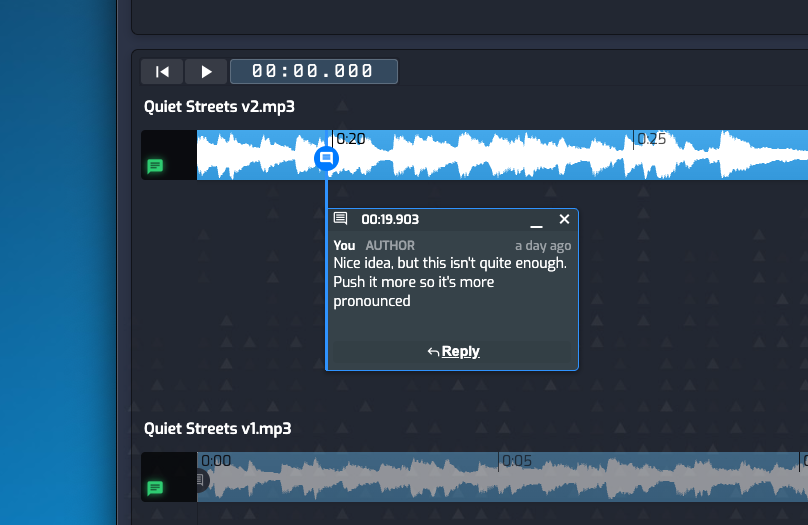
The composition instructor had planned to give only a grade. After trying it, he started responding to student comments directly and noticed that providing accurate and actionable feedback became extremely easy. Seeing the convenience of this capability, he is now planning to set up the next assignment differently: giving feedback before submission, iteratively, and earlier in the process, instead of a single submission graded at the end. The same pattern fits music production courses, where students revise a mix toward a final version: the instructor leaves specific comments, then checks whether later revisions address them.
Doing live spotting session or group critique is effective and engaging
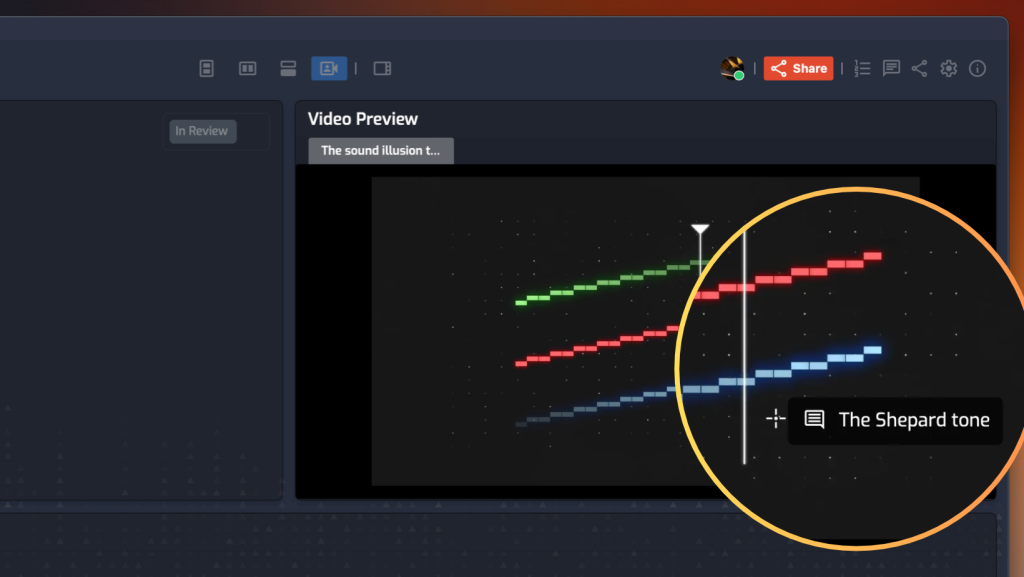
In a live sound effect spotting session, two groups of about ten students each worked through a video together. The instructor had the video open in Opusonix and added markers and comments in real time, annotating on the exact spot on screen where a sound or effect would happen. Students were excited to see comments appear as the group talked, and the instructor called participation impressive. Reviewing the detailed annotations together afterward was beneficial for both students and instructor.
Without Opusonix, the instructor said the ideas would have gone onto paper or into a Word or Excel file.
The sound design instructor now plans to add peer review next time. He also plans to put the two groups’ audio drafts side by side in Opusonix for comparison.
Teaching with long-term listening
Every assignment in Opusonix lives as a project in the student’s own workspace, with the music, the comments, and the reflection notes in one place. Past works no longer get isolated in individual assignments.
The composition instructor described a longer-term setup. With Opusonix, students now get to keep a running collection of quick experiments, build some of them into larger projects, and use Opusonix as a living portfolio that the instructor can step into and comment on. Students would end up with their works and the conversations around them, which they can export, listen back to, and continue developing. He framed it as one place for music, conversation, reflection, and continued development.
Even without a formal portfolio assignment, you can encourage students to revisit and reuse their earlier work.
Consider trying Opusonix for your class?
Start with a single assignment first. Our step-by-step guide covers creating the assignment, posting it in your LMS, and reviewing student work: Your First Opusonix Assignment: A Step-by-Step Guide for Instructors
You can sign up for an Instructor account and try for free for 6 months. Students participate for free, with no subscription.