

The Quickest Way to Send a Mix to a Client
When engineers talk about their workflow, the same thing keeps coming up. Whether they’re juggling a few projects or dozens, they just want to get the mix to the client ASAP, and get on with the next thing.
So this post is about the shortest path from “mix is done” to “client is listening,” and what happens after.
Sending a mix should feel like sending a mix
The steps are easy to picture: export, upload somewhere, make a link, check the permissions, write a message, paste the link, and hope the client finds the right version.
In Opusonix, sending a mix to a client is one action. Drop in the file, add your client’s email, and send. The project is created, the mix is imported, and your client gets an invitation. There’s no separate “create share link” step and no folder to organize first.
What your client sees
We’ve simplified the client view again. It only shows what’s actually in use, so a project with no notes and no files looks as clean as it can: the project title, the mix, and the chat.
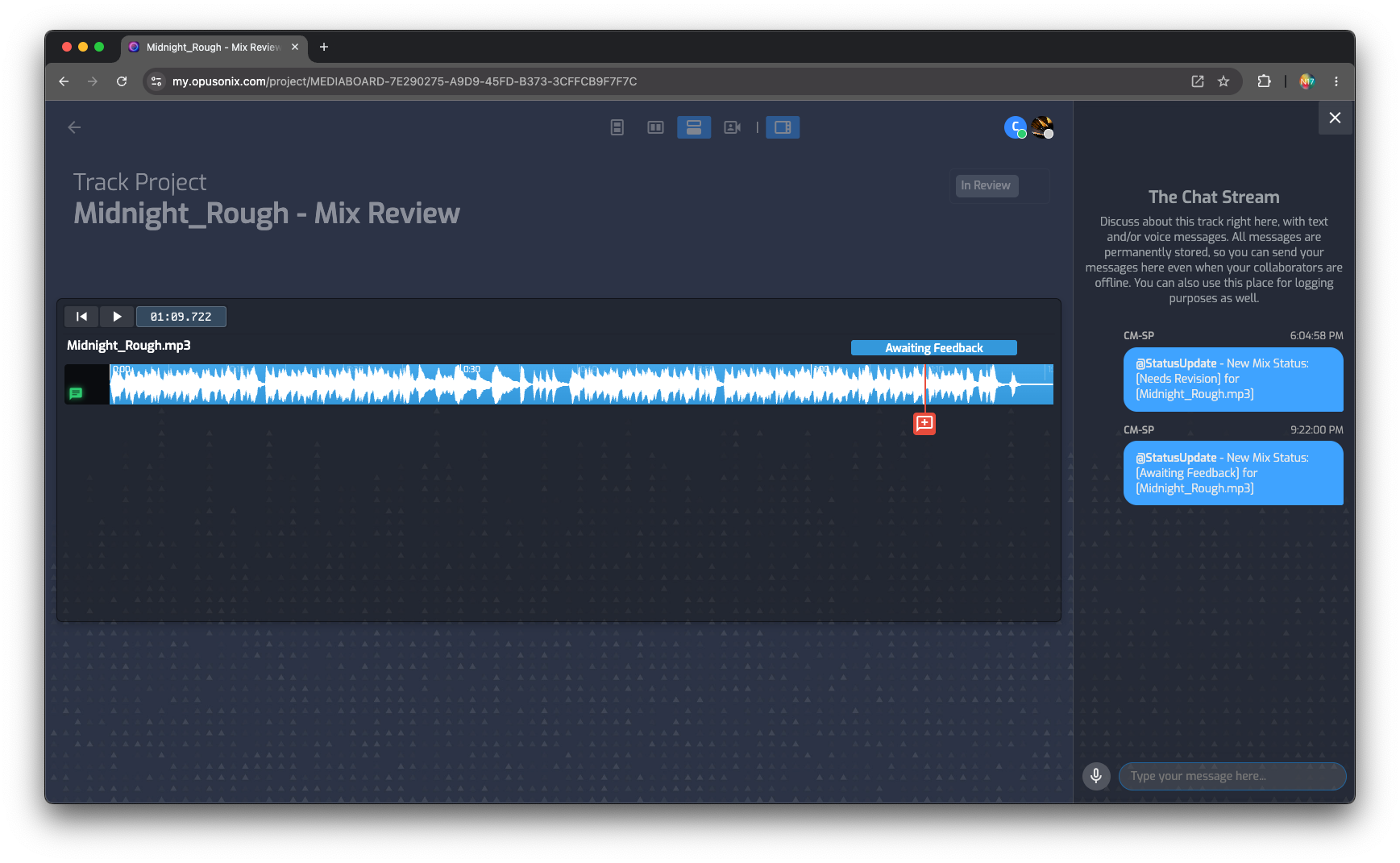
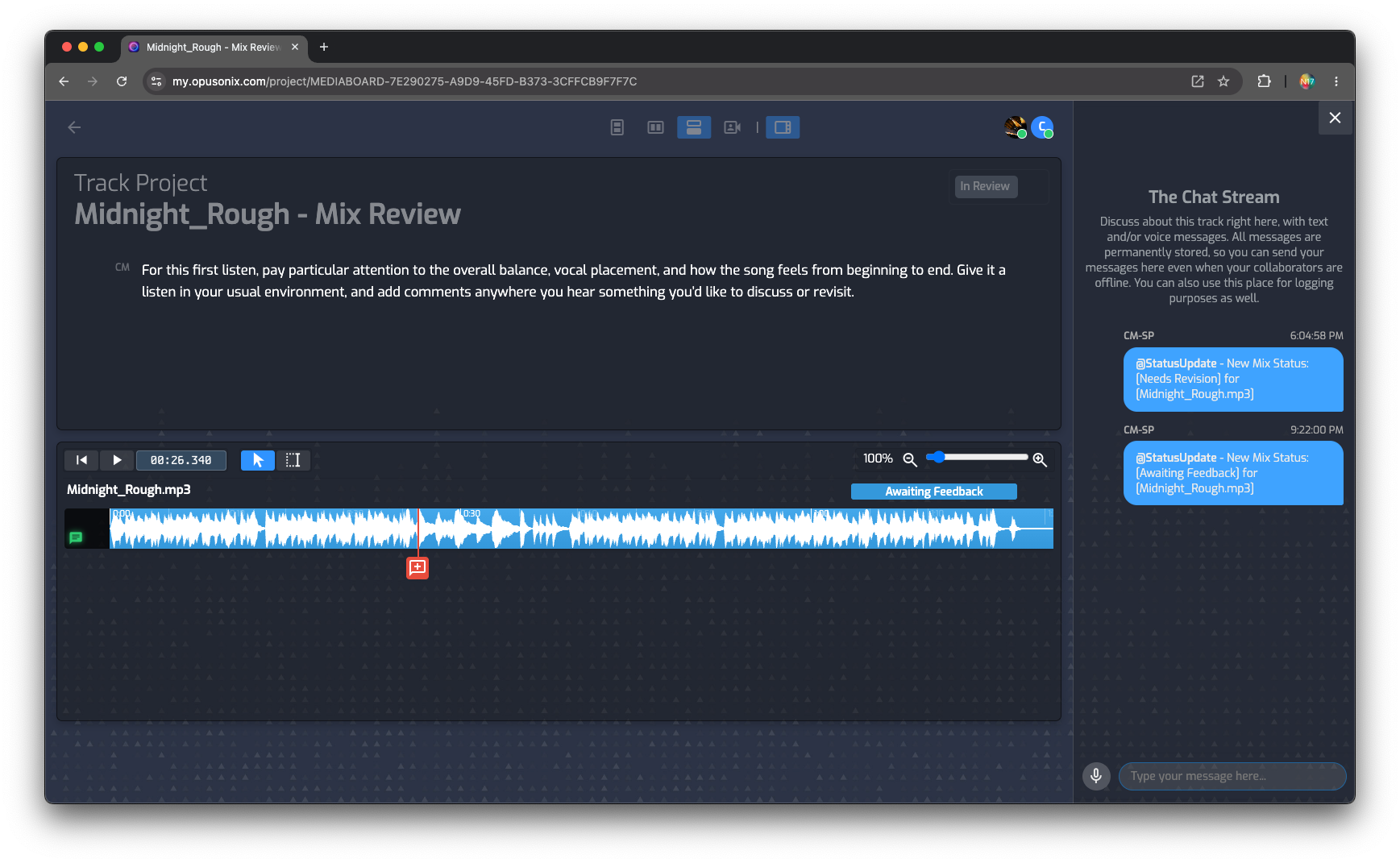
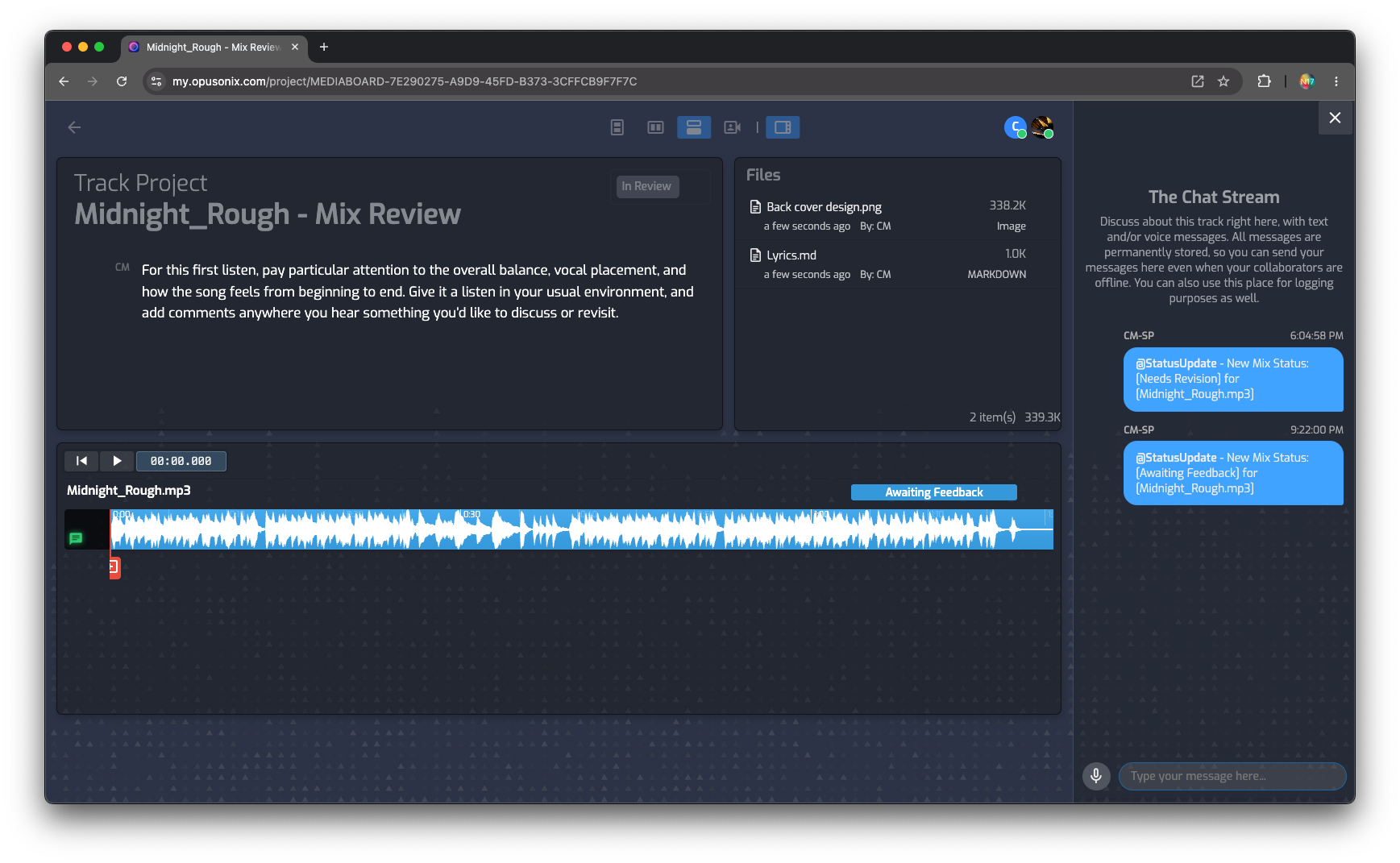
The client enters their name and is listening, with no sign-up form or password. (Note: behind the scenes, your client does get his own Opusonix account, so the track project is secured with authorized access only. Returning clients get a magic link.) They can play the mix, leave comments pinned to the exact moment they mean, reply in a thread, and set the mix status. Each time they make a change, a small message confirms that the engineer will be notified, so there’s no need to follow up with a text or an email “just to let you know.”
On a phone, the link opens straight to the mixes. Your client can play each mix, A/B, and add or review comments, all in a view built for mobile. A bottom navigation (Notes, Tasks, Files, and Mixes, which is the default) gets them to the rest.
Four statuses, one paper trail
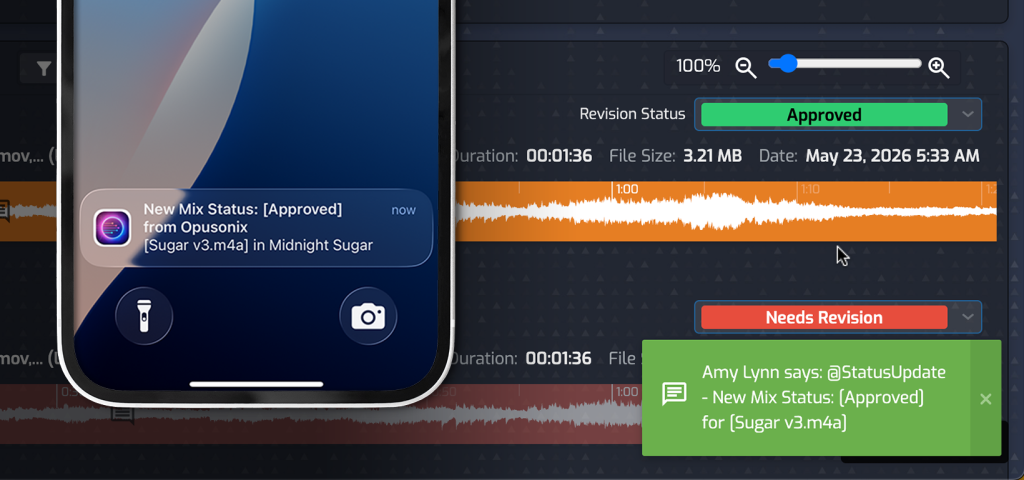
Every mix is in one of four states:
- Reference: for context only, not up for approval
- Awaiting feedback: the ball is in the client’s court
- Needs revision: changes are requested
- Approved: done
Every status change is logged and sends an automatic notification. You don’t have to ask “did you get a chance to listen?” or “so are we good on this one?” The answer is on the mix, with a record of who changed it and when. If anyone later asks “didn’t we approve this?”, you can check.
Discussion stays on the track
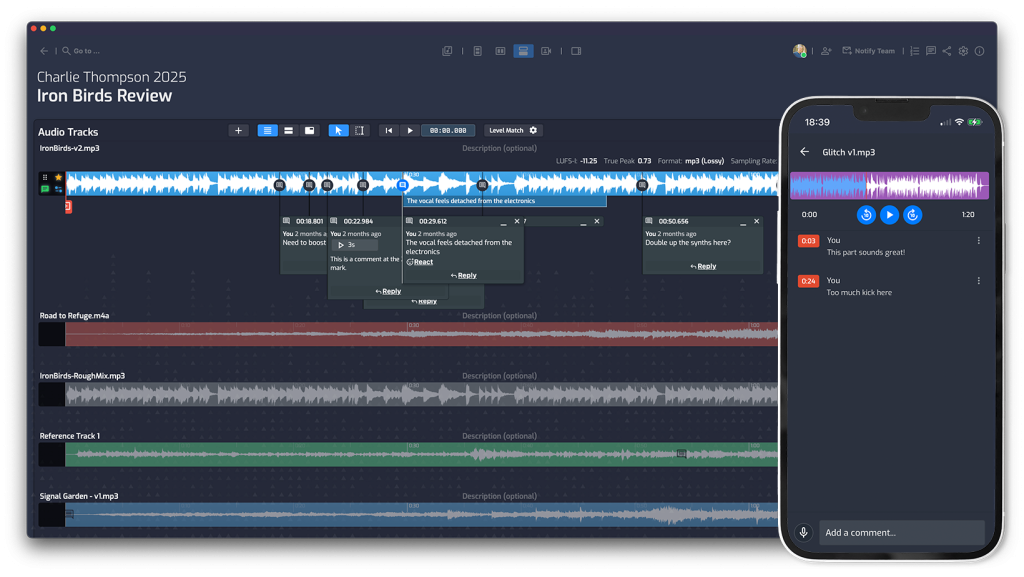
Feedback is tied to the mix, not scattered across text threads and email chains. Comments sit at the moment in the song they refer to, and replies stay in that thread. Notifications go out automatically in both directions, so the conversation keeps moving without you forwarding anything or re-explaining which version someone means.
For you, that means fewer channels to check. For your client, it means there’s one place to go. Both are part of looking professional without adding work.
When revisions come in, add a new mix
Revisions are where “just send a link” falls apart. Every revision becomes another link, and every mix sits by itself with no context.
In Opusonix, you upload the new mix into the same project. Your client sees the history: earlier versions, the feedback on each one, and how the mix evolved. Nothing is orphaned, and nobody has to ask which one was the latest.
The short version
- Sending a mix is one action, not a chain of steps
- The client view shows only what’s in use, and on a phone it opens straight to the mixes
- Clients understand that actions will trigger automatic notifications to the engineer, so they can skip the extra text or email
- Mix status is four options, with every change logged and notified
- Discussion happens on the track, replacing text and email
- New versions join a visible history instead of becoming another loose link
It’s a faster way to send a mix, and it also makes the workflow look more professional to the people paying for it.