
Opusonix Team Accounts: One Shared Workspace for Studios and Everyone They Work With
Opusonix has been updated to better support team-based work. Team accounts are now live: one account holder manages billing and membership, and every team member works from the same shared pool of projects, albums, and playlists — no per-project invites required.
Team accounts let studios and producers bring collaborators — engineers, mastering partners, anyone the project needs — into one shared workspace under a single studio identity, with two pricing tiers sized for different team sizes.
How team accounts work
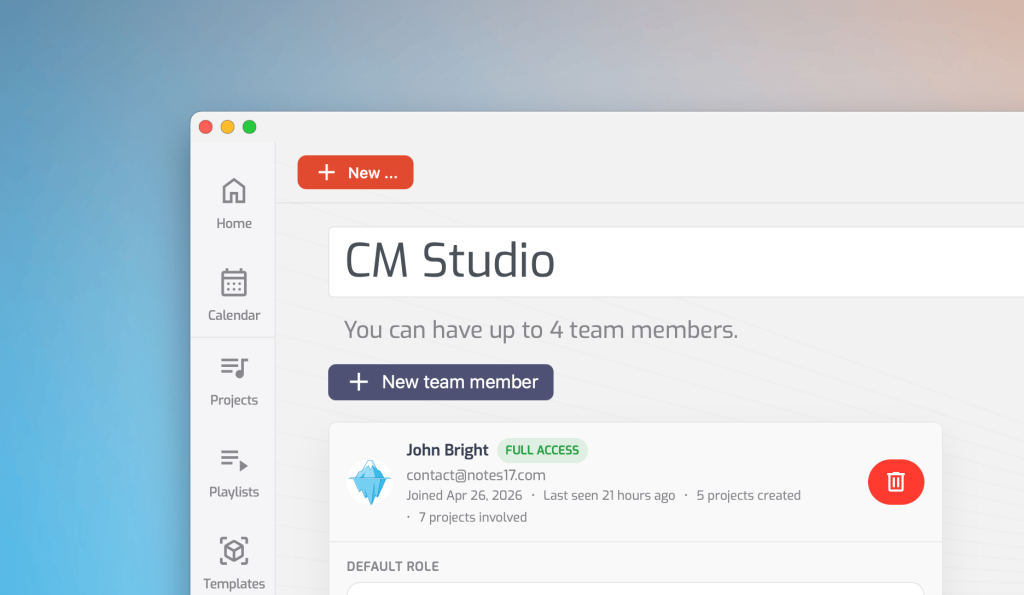
- One shared pool. Every team member sees the same projects, albums, and playlists. No re-inviting collaborators for each new job.
- Shared calendar. Everyone on the team can see key deadlines across every team track and album, not just the ones they’re working on directly.
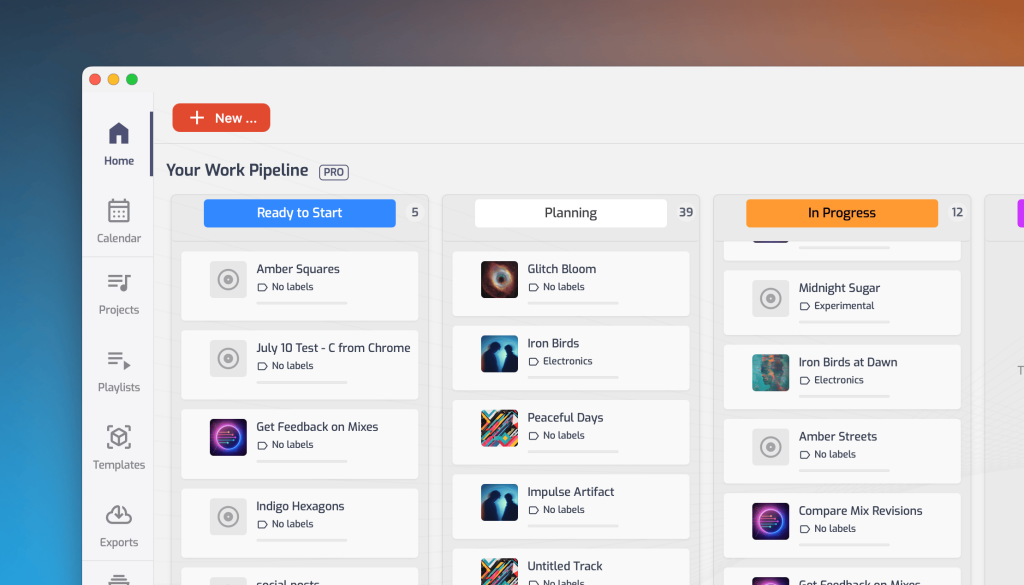
- Shared kanban board. A studio-wide pipeline view of every team project, with fully customizable stages.
- Studio branding, built in. Team projects and albums are automatically labeled with your studio’s identity, so clients see a consistent, professional presence instead of a patchwork of individual engineer accounts.
- Team members join without an invite. Anyone already on the team can jump straight into any team project — no per-project invite needed. Clients and outside collaborators aren’t team members, so they still get invited to a specific project, same as before.
- Personal work stays personal. Team membership doesn’t replace your own account. Every member keeps private projects that only they can see, alongside the shared team pool.
One workspace, one pipeline
A project moves through different people — producer, artist, mix engineer, mastering engineer, client. With a team account, any team member can jump straight into a project without waiting on an invite, picking up the same revision history and comment thread the whole way through. Clients and outside collaborators still get invited to that specific project, same as before.
That same shared access adds up to something bigger: a shared calendar and kanban board turn it into one real-time view of the studio’s pipeline. The kanban board tracks every team project and album through stages you define yourself, and the calendar layers deadlines on top — so anyone on the team can see what’s due and what’s falling behind, instead of piecing it together from a spreadsheet or a separate calendar app.
Two tiers, sized for different studios
| Team | Studio | |
|---|---|---|
| Price | $30/mo | $50/mo |
| Team members | Up to 2 (3 total) | Up to 4 (5 total) |
| Shared Storage | 600GB | 1TB |
The Team tier comes with 600GB of storage — triple what Pro accounts get — which makes it a solid fit for a two- or three-person studio that wants more room without stepping up to the Studio tier.
This makes the Team tier perfect for small studios or a producer-plus-collaborator setup. The Studio tier is for larger operations running more engineers and a heavier client roster. Both include shared project pools, studio branding, and invite-free project access.
Built for freelancers too
Team membership doesn’t change your own account — private projects stay private, right alongside your team work. That’s especially useful if you’re a freelance engineer: you can join a studio’s team while keeping your own Pro plan for private clients, under the same login, with team project storage and billing running through the team owner’s plan, not yours. And if all your work runs through the studio, a free account is enough to join — Pro only comes into play once you take on private clients of your own.
Getting started
If you’re on Pro and working mostly solo with occasional collaborators, Opusonix Team is the lower-cost way to bring one or two people into a shared workspace. If you’re running a full studio with several engineers, the Studio tier gives you room for a bigger roster. The Team and Studio tiers are both live now — upgrade from your account settings, then add members by email. Each invite arrives as an email the recipient can accept by signing into their existing Opusonix account or creating a new one on the spot.
FAQ
Do team members need their own Opusonix account?
Yes. Each team member has their own login; team membership gives them access to the shared project pool under the studio account.
How do I add someone to my team?
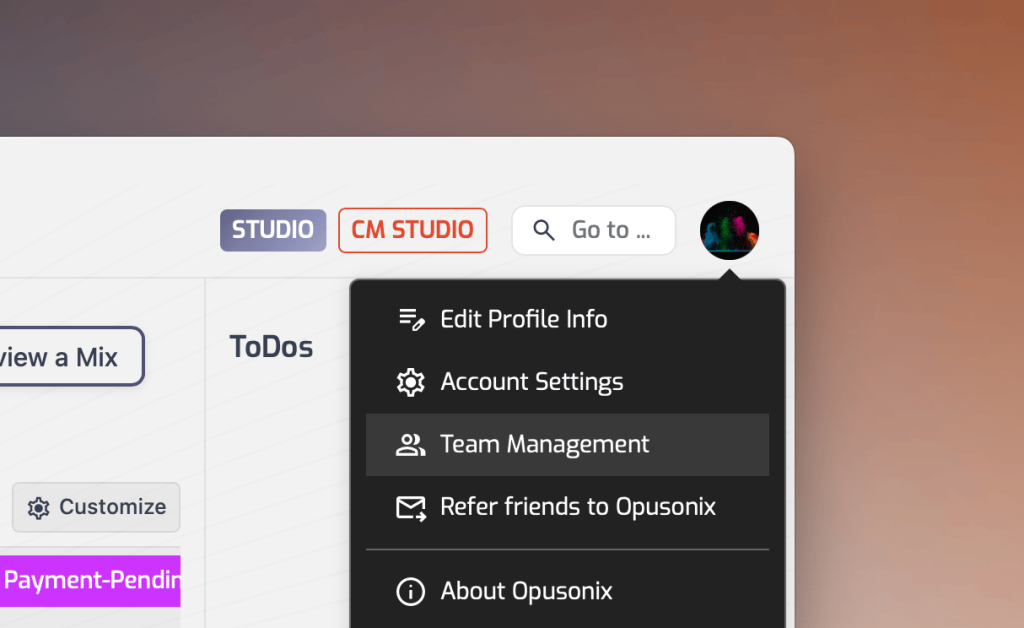
As the team owner, add them by email from your account settings. They’ll get an invitation email and can accept it by signing into an existing Opusonix account or creating a new one right there.
Who’s billed for a team account?
The team leader purchases the Team or Studio plan and adds members on demand. Members don’t need to buy a seat or a separate subscription to work on team projects.
Can a team member also keep their own paid plan?
Yes. A freelance engineer can keep a personal Pro subscription for their own private work while also being added to a studio’s team. Team project usage counts toward the team owner’s plan, not the member’s own.
Can I switch between Team and Studio later?
Yes — you can upgrade as your team grows.
Does joining a team affect my personal projects?
No. Personal projects stay private to you regardless of team membership.
Can I be part of more than one team?
No — you can be a member of one team at a time. You can still keep private projects under your own personal plan alongside that team membership.
Do clients or outside collaborators need to be invited?
Yes. Team membership is what removes the per-project invite step — clients and anyone else who isn’t a team member still get invited to a specific project, the same way they always have.