How to Manage Music Production Projects Without the Mental Overhead
Table of Contents
If you’re producing music for clients — soundtracks, sync licensing, game audio, branded content — chances are your project management looks something like this: a long Apple Notes page, a shared Google Drive folder that contains everything involved, a string of texts to your artists, and a lot of mental juggling.
It works, but the entire projects depends on YOU to stay together. You need to remember all the dates, you need to remember to follow-up, and you need to track where the project is. When the project gets more complex, your mental overhead increases with it.
This guide walks through what a more structured, modern production workflow looks like — one where less falls through the cracks, your clients stay in the loop, and you’re not the single point of failure holding everything together.
The Problem with Managing Projects in Notes
A notes page is a great place to capture information. It’s a poor place to run a project.
When your brief, your deadlines, your artist specs, and your client feedback all live in a flat document only you can see, you become the bottleneck for everything. Artists don’t know what’s changed. Clients can’t see where things stand. And every update — however small — has to route through you before anyone else knows about it.
The bigger issue is that notes don’t age well. A project that starts as a clean spec sheet turns into a long scroll of edits, crossed-out decisions, and half-remembered context. By week three, you’re the only one who knows how to read it — and even you have to hunt.
This isn’t a discipline problem. It’s a tools problem.
Step 1: Give Every Project a Living Document
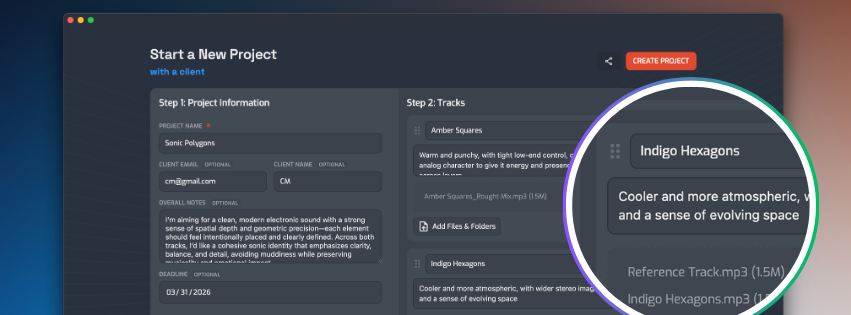
Instead of a flat notes page, each project should have a shared workspace — one place where the client brief, artist specs, reference files, and decisions all live together.
Think of it like a project brief that never goes stale. When a client changes their vision mid-project, that update lives in the same place as the original spec. When an artist joins the project, they can read through the entire history without you needing to brief them from scratch.
This alone cuts down a significant chunk of the “wait, what were the exact requirements again?” back-and-forth.
Step 2: Stop Tracking Deadlines in Your Head
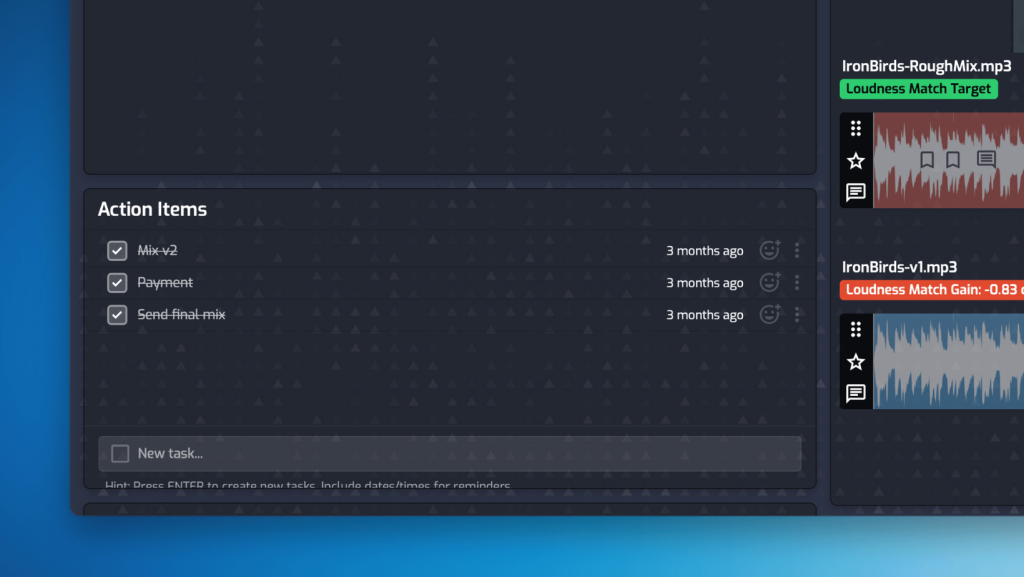
Deadlines scattered across Apple Notes and calendar reminders put the burden on you to remember to follow up. A better approach: deadlines live inside the project itself, tied to specific tasks, visible to everyone involved.
When your drummer can see that their stems are due Thursday, and your synth player can see their part is due Friday, the project starts to manage itself a little more. You shift from being the person who has to chase everyone to the person who checks in on progress.
Step 3: Move Feedback Off Email and Onto the Track
Here’s where things get noticeably better. Emailing a SoundCloud link and waiting for a client to reply with “the part around 1:30 feels too busy” is a slow, lossy process. By the time you’re back in your DAW, you’re guessing at exactly what they meant.
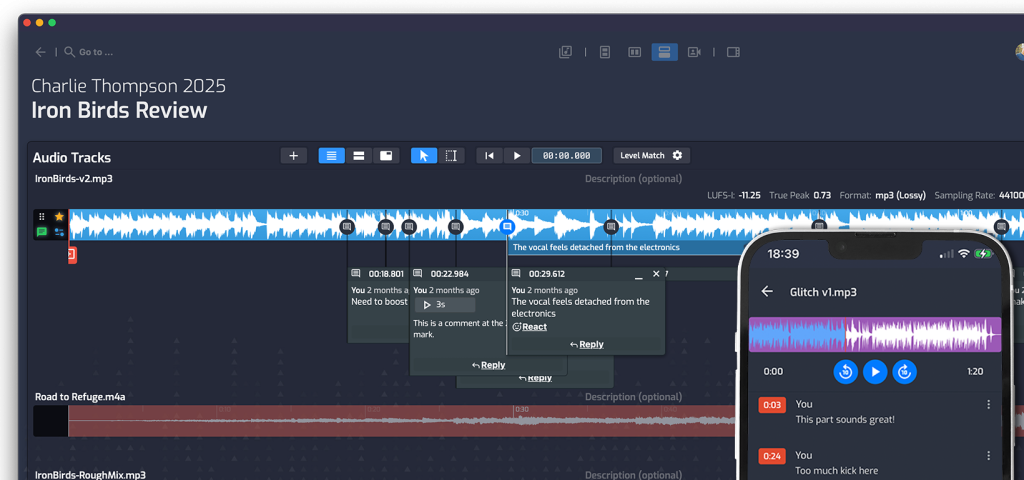
Timestamped comments change this. Your client listens, drops a note at exactly 1:32 — “the synth pad here is competing with the vocal” — and you know precisely where to look. Your mix engineer can reply directly to that comment. The conversation stays attached to the specific moment in the track.
As the producer, you can also filter comments by role — so you can read just the client’s notes, or just the artists’ notes, without wading through everything at once.
Step 4: Do Your A/B Testing Inside the Project
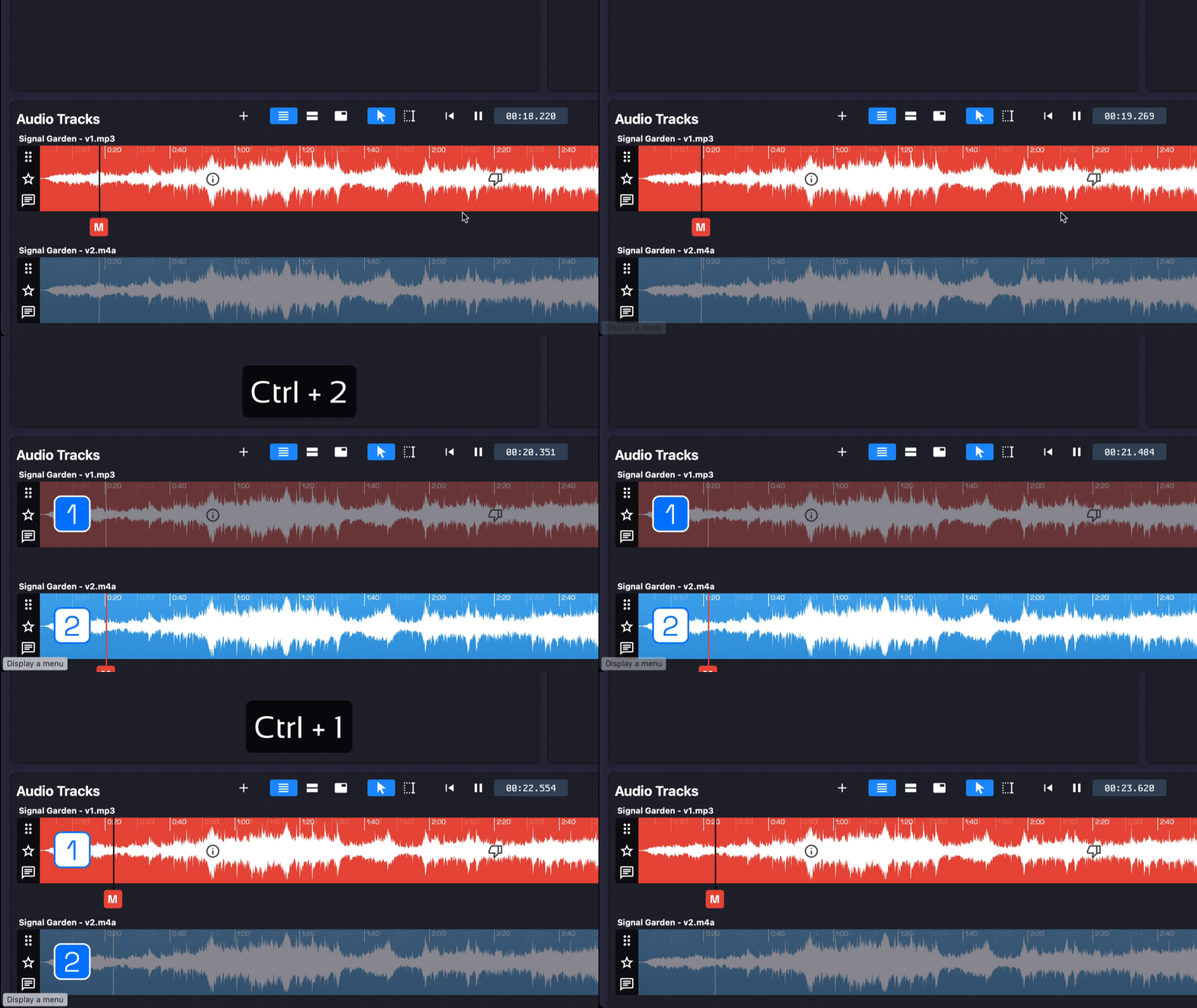
One of the most common producer workflows is uploading two versions of a mix and asking a client to compare. When that happens over email or a shared drive, it usually means someone downloading two files, switching back and forth manually, and trying to remember which one had the brighter high end.
Built-in A/B comparison with loudness matching removes that friction. Your client can flip between versions instantly, at matched levels, and leave their preference as a comment. Fewer emails, clearer feedback.
Step 5: Keep Clients Informed Without Extra Work
Clients don’t love being in the dark. But sending project updates manually is tedious, and it’s often the first thing that slips when you’re in the middle of a production push.
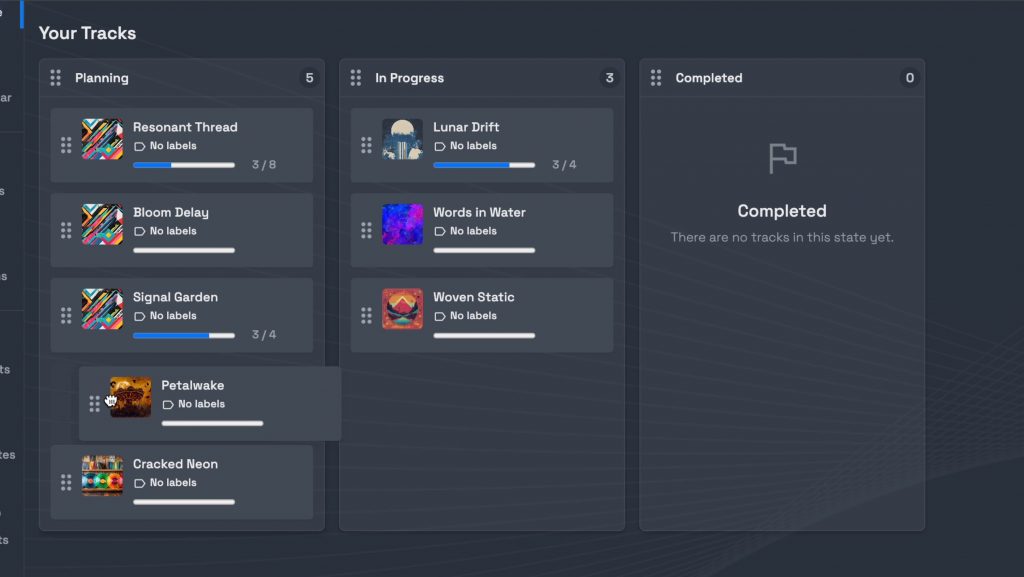
A project state system — something as simple as moving a project from “In Progress” to “In Review” to “Complete” — gives clients passive visibility into where things stand. Combined with a quick broadcast message to your whole team (or just the client), you can push a meaningful update in seconds rather than composing an email from scratch.
Step 6: Deliver Cleanly, and Build a Library While You’re at It
Final delivery is usually a mad scramble: organizing the drive folder, making sure the right versions are in the right place, and emailing the client with instructions. It doesn’t have to be.
When your files are already organized inside the project, delivery is just a matter of exporting directly from there. The client gets what they need without you manually sorting through folders.
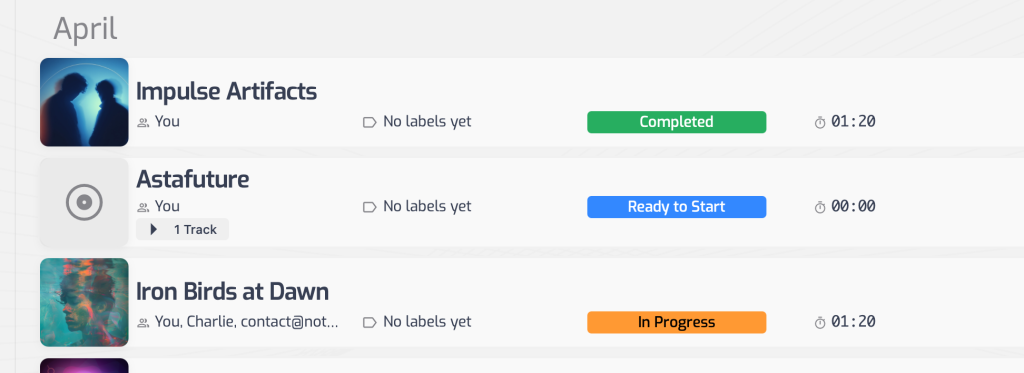
And here’s the long-term benefit most producers don’t think about until later: you end up with a searchable, browsable library of every project you’ve ever done. No digging through drive folders. No opening DAW sessions just to remember how something sounded. Your entire catalog is accessible and listenable in one place.
What Changes Day-to-Day
The goal isn’t to add more software to your stack. It’s to stop relying on your own memory as the primary project management system.
When your specs, files, deadlines, feedback, and delivery all live in one shared space, you spend less time coordinating and more time making music. Your clients feel more involved. Your artists have less ambiguity. And you have a clear record of every project decision — which matters more than you’d think when a client comes back six months later with a revision request.
The workflow described here isn’t radical. It’s just what good project management looks like when it’s built around the way music production actually happens.
If you’re looking for a platform built around exactly this kind of workflow, Opusonix was designed specifically for working music producers managing projects across artists and clients.