One of the biggest concerns we hear from engineers is simple:
“I don’t want to train my clients.”
So we redesigned the client experience in Opusonix with one goal:
If they can send an email, they can use this.
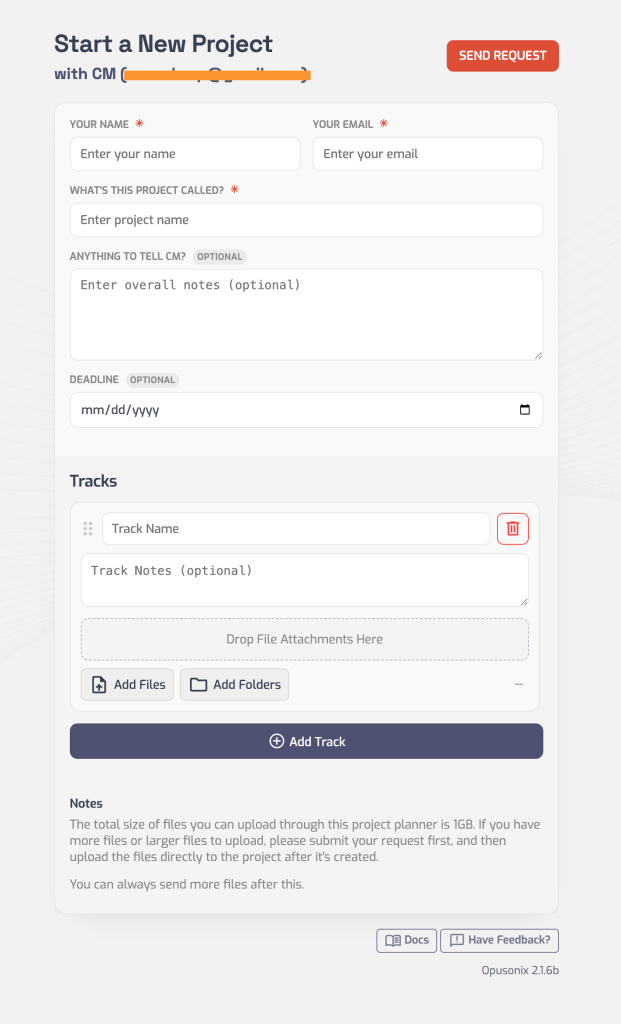
1. A planner that feels like writing a message
Creating a project now feels like composing an email.
Clients just fill in:
Name
Email
“What’s this project called?”
“Anything to tell (engineer’s name)?”
The UI is a clean, single column. No tabs, no complexity.
Tracks sit right below, each with a simple “Drop File Attachments Here” area or “Add Files” button.
No setup. Just type and attach.
The simplified project planner that feels like filling out an email
2. A workspace that doesn’t need explaining
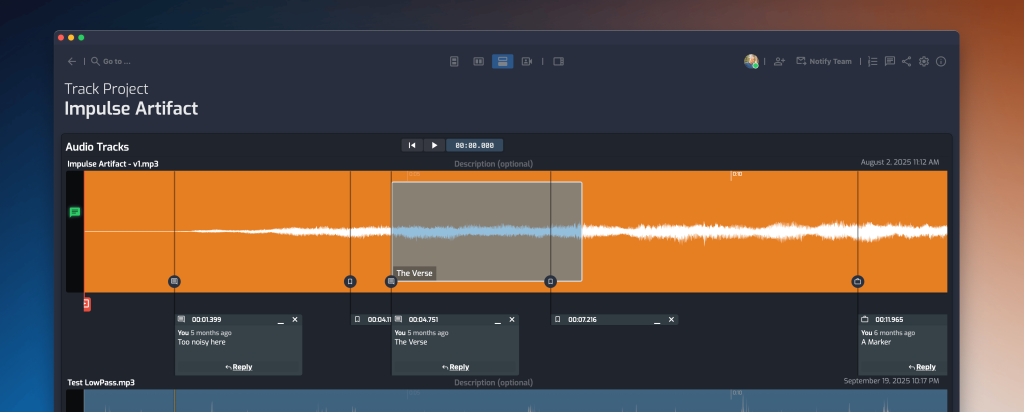
Clients can now enter projects in Audio-Only Mode—a simplified view that shows only:
Audio tracks
Player
Comments
No extra panels. No distractions.
Engineers can set this as the default when inviting clients, so the first experience is clear and intuitive.
Simplified Client Workspace with Focus on Audio Tracks
Bringing clients in is just as simple
There are two easy ways to invite clients:
Invite via email Enter their email (or multiple), add an optional message, and send. They’ll receive an email with an “Access Project” button and can join instantly.
Invite via link Copy a unique invite link and send it however you like—email, text, or anywhere else.
In both cases, clients can access the project within seconds. If it’s their first time, they just enter a name and password (takes under 10 seconds). If they already have an account, they’re taken straight in.
3. A mobile experience that actually works
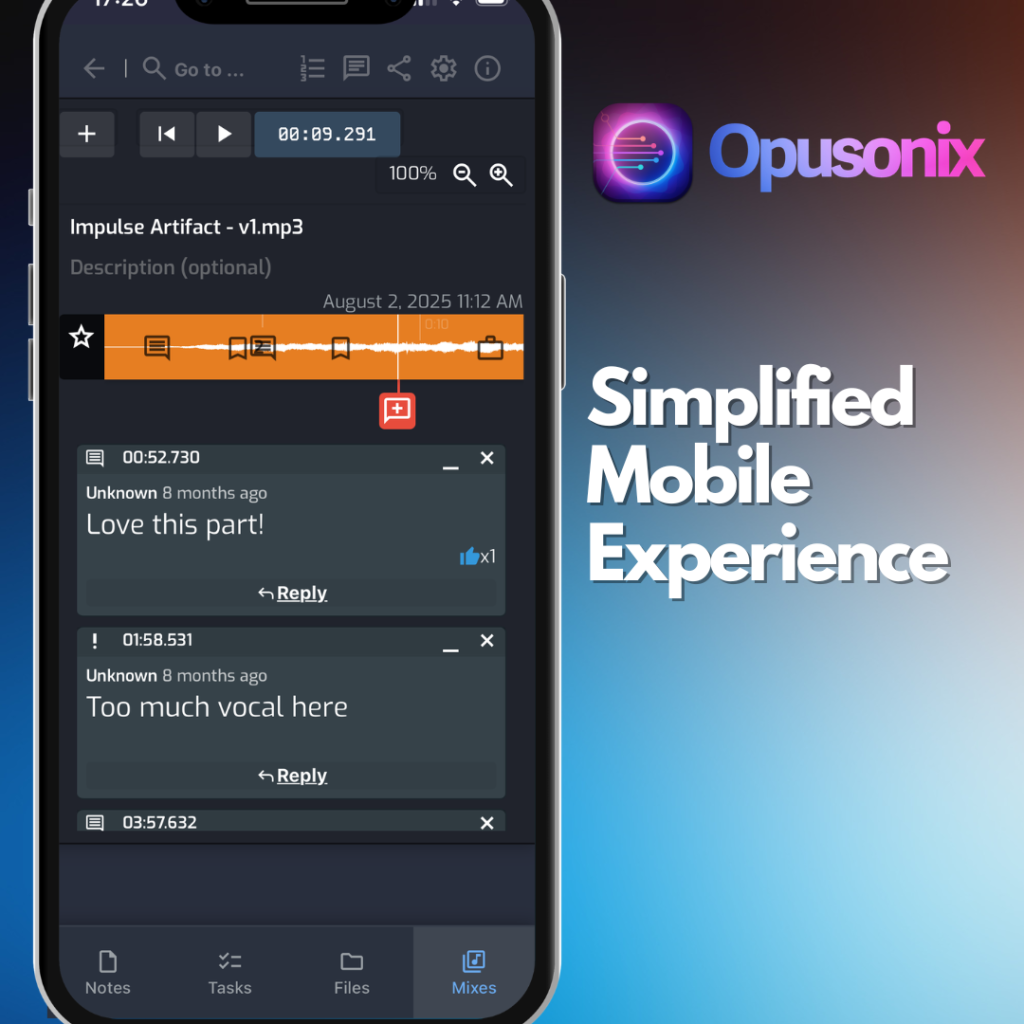
On mobile, the workspace is optimized for simplicity:
Compact track view with prominent player controls
Comments in a vertical list (easier to read on small screens)
Fullscreen-style comment input instead of small popovers
Everything is designed to feel natural on a phone.
No training required
These updates aren’t about adding features—they’re about removing friction.