Audio Assignments in Canvas: Collect and Review Student Work
Audio assignments are hard to review well when the work arrives as a file and the feedback goes into a text box. A lot of what students intended, and what you heard, gets lost in between.
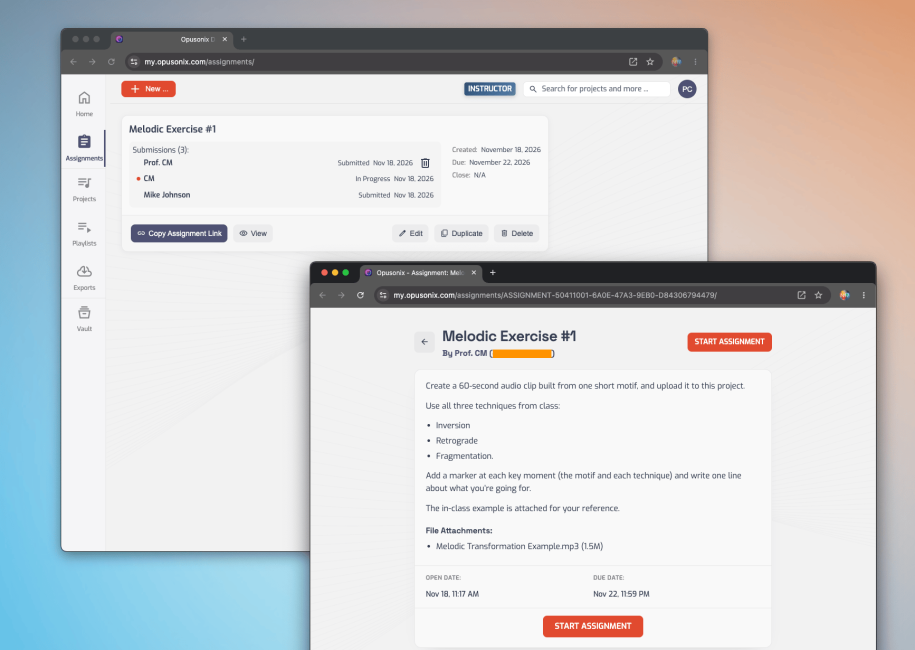
Our new guide shows instructors how to run audio and video assignments in Canvas with Opusonix. You post one link, students work in a shared project workspace, and you review their work and comment directly on the timeline. Grades stay in Canvas.
Beyond the setup, the guide shares seven ways to turn a simple submission into better learning:
- A reference track or video gives students something to work from or critique.
- Timestamped markers let students show what they intended at each moment.
- Reflections are written next to the track, not in a separate document.
- Feedback arrives at the moment it applies, instead of a single grade at the end.
- Draft-and-revision cycles let students respond to comments and compare versions.
- A student’s work can become the centerpiece of a live-class critique.
- Every assignment becomes a project students can revisit and build on.