
Send Clients a Playlist, Not a Dropbox Link: Create and Share in Minutes
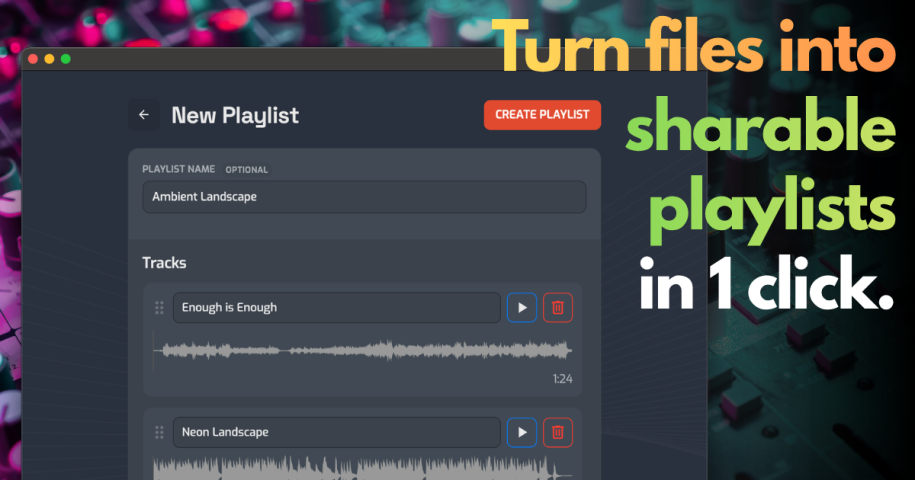
Sending a client a set of tracks usually means a zip file, a Dropbox folder, or a pile of links. Opusonix now has a faster path: Playlist from Files, a single page that turns a batch of audio files into a playlist you can share right away.
How it works
- Click on Playlist from Files and drop in your audio files.
- Add a playlist title if you like. Each track is named from its file name, and you can edit names and drag tracks into the order you want.
- Click Create Playlist. Opusonix creates the release, uploads the files, and builds the playlist in one step.
- Share it from the confirmation panel: copy the link, copy the embed code for a webpage, or enter one or more email addresses and Opusonix sends it for you. Emails carry your name, and your branding if you’re on Pro or a Pro trial.
If you want to keep working, See Release opens the release you just created. Every track in it is a full project, ready for comments, revisions, and notes.
Why it’s worth using
- Fast to send. Go from a folder of files to a shared playlist in one step, with no project setup.
- A proper listening experience. Clients get a real audio player in any desktop or mobile browser, with gapless playback, instead of a file download or a Dropbox link.
- Replies stay with the project. If a client replies to the playlist email, the reply lands in the project’s chat and you get a notification.
- An easy first step with clients. Clients are far more likely to click a playlist than to join a workspace, and listening first makes joining later an easier next step.
Unlimited track projects on every plan
We’ve also removed the track project limit. Every Opusonix plan, free included, now supports unlimited track projects and unlimited playlists. Storage is the only limit, and because files are stored exactly as uploaded, capacity is easy to estimate:
- Free (1 GB): about 80 mp3 track projects
- Pro (200 GB): about 16,000 mp3 track projects, or roughly 4,000 WAV track projects
These figures assume about 12.5 MB per mp3 project and about 50 MB per WAV project. Actual capacity depends on file length and format.
Try it
Have a folder of tracks ready to listen or share? Try the new Playlist workflow on Opusonix.