
New in Opusonix: Automatic Follow-Ups, Pinned Video Comments, and Releases
Opusonix just got better. This time, it is mostly about the part of the work that happens between you and your client: getting feedback and keeping a project moving. There are three main changes, plus a few smaller ones.
1. Automatic reminders with Send Update
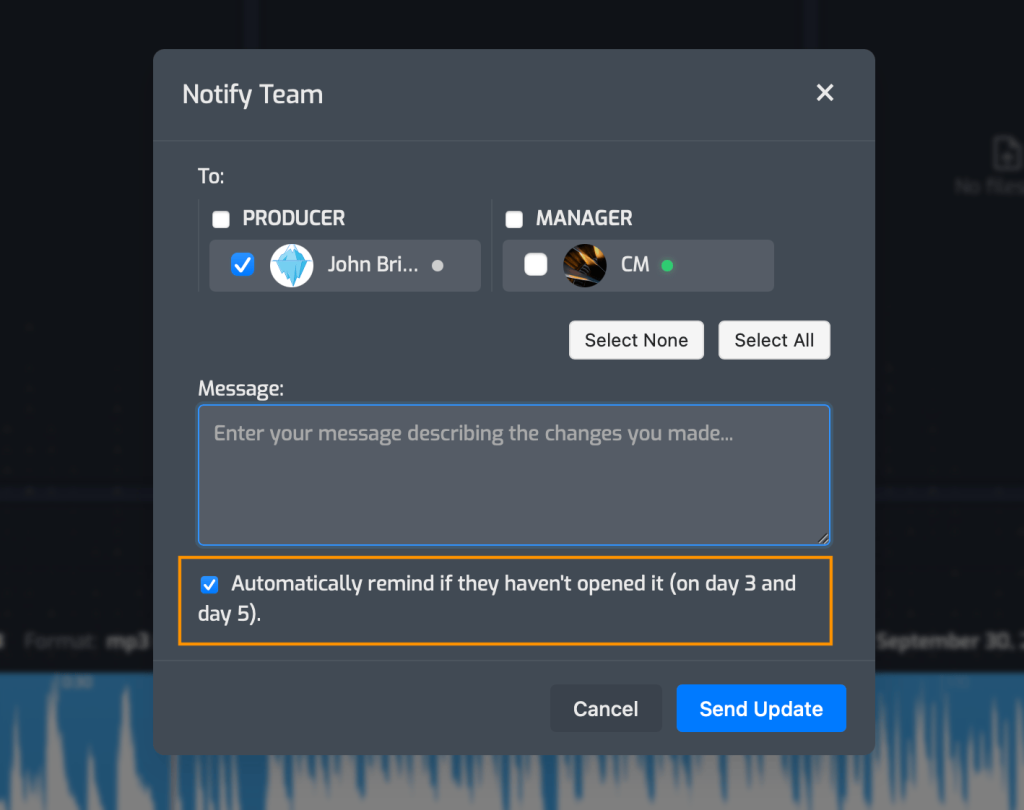
Send Update is how you let a client or collaborator know that something has changed, such as a new mix, a revision, or a file waiting for review. It can now follow up for you.
When you send an update, there’s a new option to automatically remind recipients if they haven’t come in to check out the project. It’s checked by default and follows up on day 3 and day 5 after your original update email. If you’d rather handle follow-up yourself for a particular update, just uncheck it.
Why it matters: following up consistently is a big part of working professionally, and it’s the first thing to slip when you’re deep in a session. Now it happens without you having to remember, and your clients get a more organized experience.
2. Comments now appear on the video
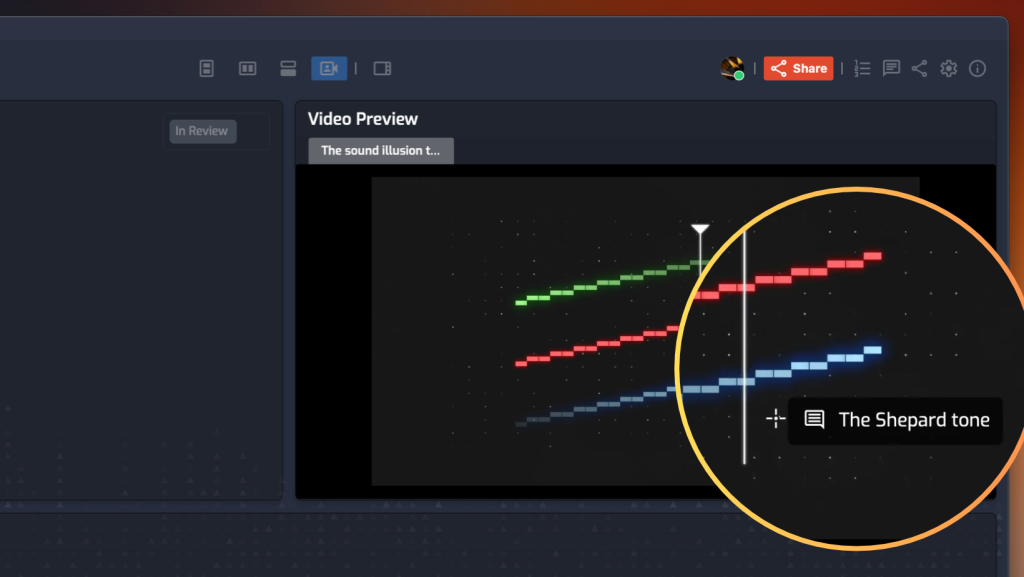
If you work with video, comments on the video track now show up on the video itself, and you can position them anywhere you like. Pin a note to a specific element in the frame, and anyone watching sees it right where it applies.
Why it matters: precise notes are easier for clients to give and easier for you to act on, which means fewer back-and-forth rounds.
3. Albums are now Releases
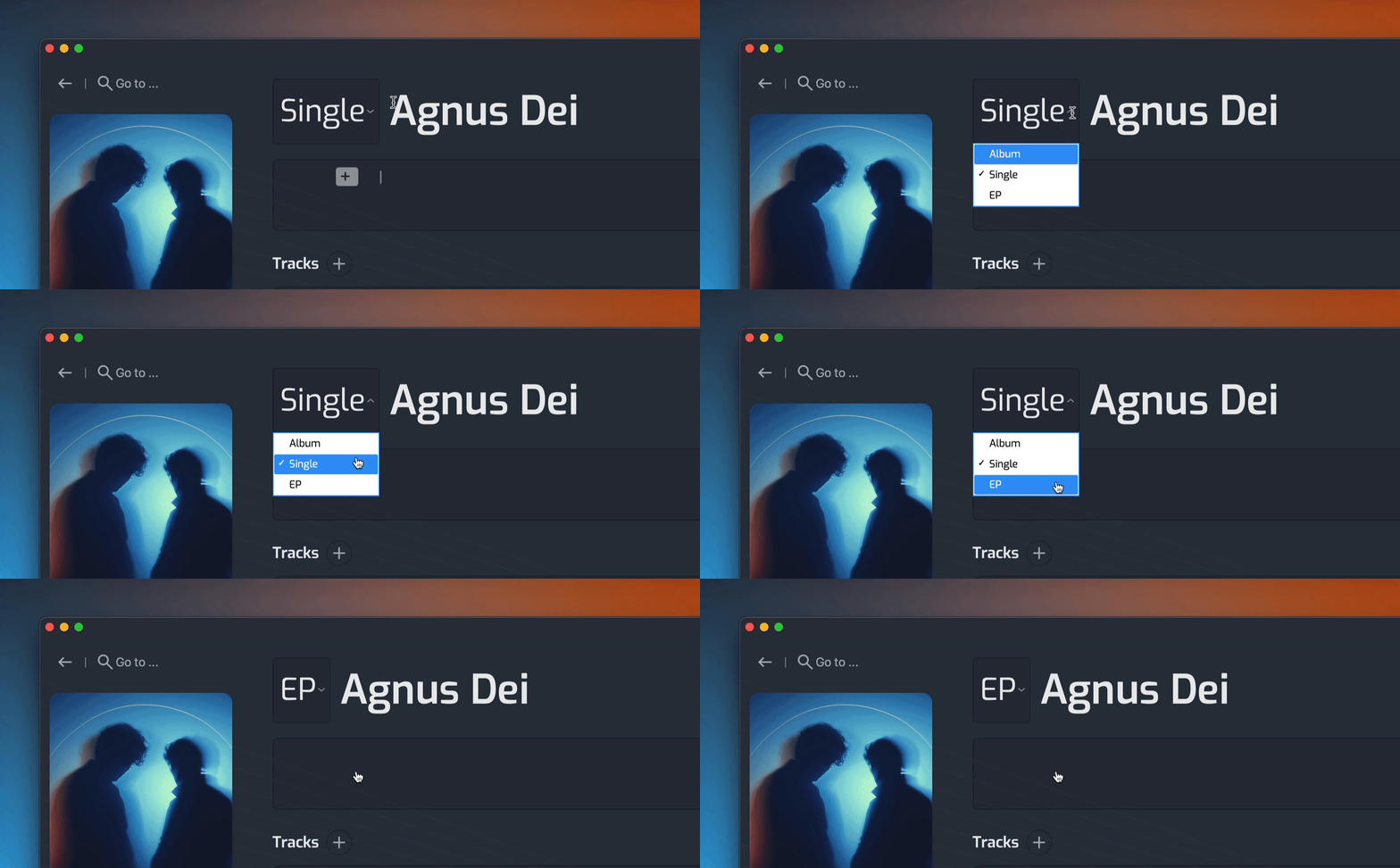
Albums are now called releases, and each release can be set as a Single, EP, or Album. Album is the default, so everything you’ve already created now carries the Album option, and nothing needs to change on your end.
Why it matters: a single is a single, not a one-track album. Your catalog now reflects how you actually release work, which keeps your projects organized and looking right.
Smaller improvements
- Full window video. Maximizing a video used to stretch it across the horizontal area of the workspace. Now it fills the entire window. While in full window mode, press the space bar to play/pause, and use the left and right arrow keys to skip backward or forward, all without leaving the view.
- Time display and jump to timestamp. The full window view has its own time display so you always know where you are. You can also enter a timestamp to jump straight to any spot.
- Faster switching between projects. Opening a track workspace shows a title screen that fades in and out. If you move directly from one project to another, Opusonix now skips that animation, so hopping between projects is a bit quicker.
Try it
Everything above is live now for all Opusonix users. So go check it out! If you’re new, try 7 days free at opusonix.com.