
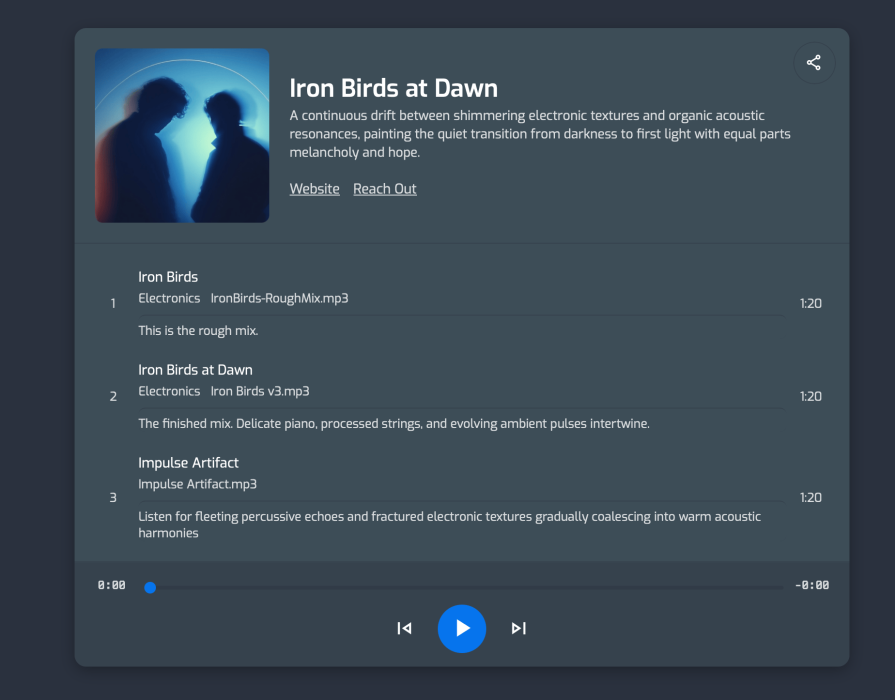
Playlists Just Got a Big Upgrade
We’ve been quietly building out playlists since launch, and this release brings five changes that make them a lot more useful — especially if you’re sending your work to clients, collaborators, or anyone outside your DAW.
In case you haven’t used the playlist feature in Opusonix before: it’s a standalone player that works in a browser, on desktop, or on mobile, and it can be embedded on your website if you like. Anyone can access them with no sign-in required. You control what’s in it, how it looks, and what it says. This update makes all of these a lot better, and easier.
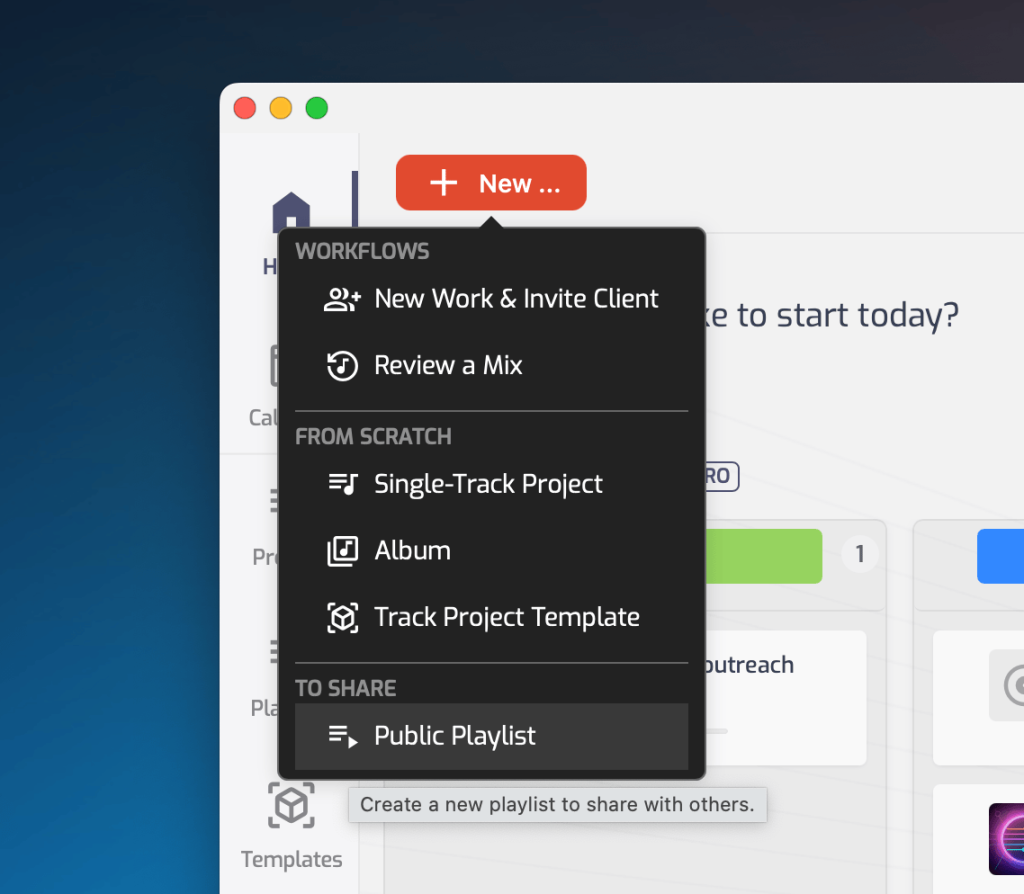
1. Create a playlist straight from Home
New → Playlist, right from your Opusonix home screen.
2. Mix tracks from different albums
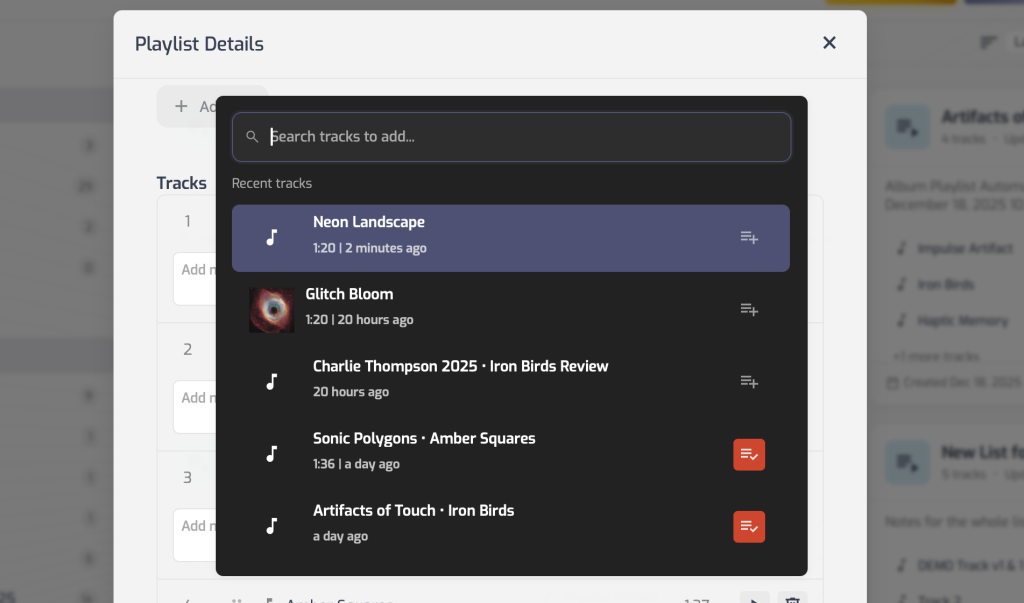
Playlists used to be locked to a single album — every track had to come from the same one. Not anymore. You can now pull tracks from anywhere in your catalog into one playlist.
This matters most when you’re not just sharing one project’s output, but curating: a demo reel spanning a few different records, a client-specific “here’s what I’ve done in your genre” list, or a personal best-of you keep updated over time.
3. Track-specific notes
Each track in a playlist can now carry its own note.
This was built with portfolio use in mind. If you’re sending a curated list to a prospective client, you can attach a line to each track — what you did on it (mix, master, both), the genre, the story behind it — instead of leaving them to guess from a bare list of song titles.
4. Custom links on playlists
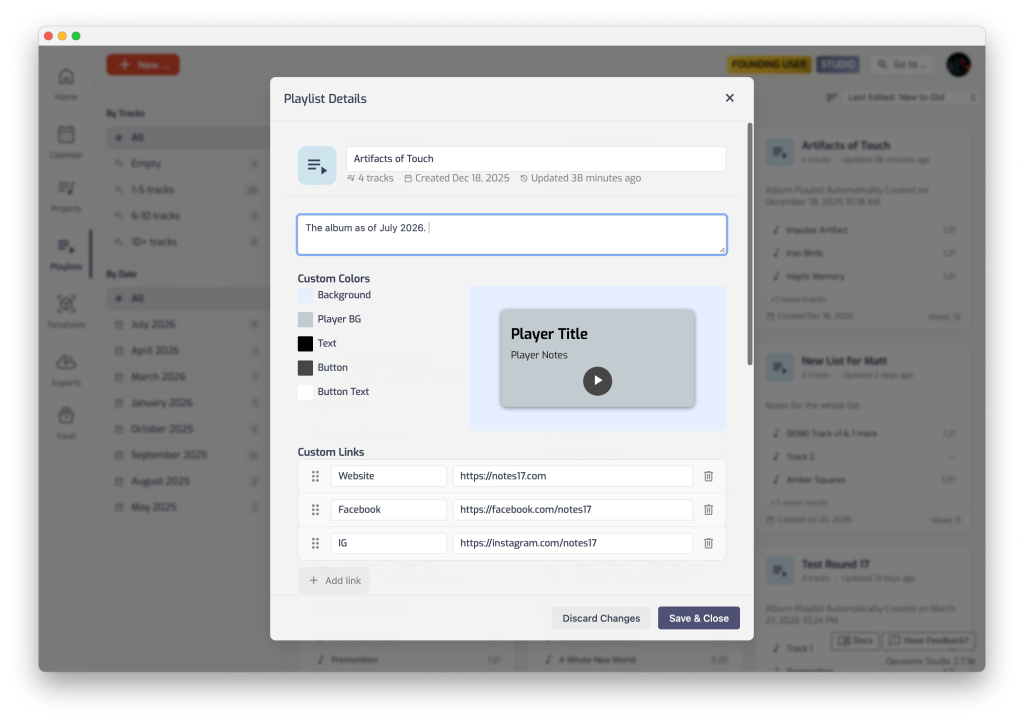
Playlists can now include custom links — your website, your Spotify, your Instagram, wherever you want to send people next.
Combined with the playlist’s title and notes (which you can use as a short bio), this turns a playlist into something closer to a landing page: your music, your story, and a way for people to find you afterward — all in one place, no sign-in wall in the way.
5. Live color preview when editing
The playlist edit panel now has a preview pane, so when you’re adjusting the color scheme, you see the result immediately instead of saving and reloading to check.
Small change, but it means you can actually dial in a look that matches your brand — or a client’s — without the back-and-forth.
Why this all adds up
None of these are huge on their own, but together they turn playlists into a genuinely useful tool for anything outside pure mix review:
- Portfolio sharing — a cross-album playlist, per-track notes, a bio in the playlist notes, and links to your site or socials. Send one link, no sign-in required on the other end.
- Client previews — put together a sequence to test with a client before committing to an album running order, or share a “these are close to what I mean” reference list.
- Website embeds — playlists can be embedded directly on your own site, so you can drop a mini player into your homepage, an “about” page, or a dedicated music page.
If you haven’t touched playlists in a while, this is a good time to revisit them — try New → Playlist from Opusonix and see how it feels.