

Designing for Faster Mix Reviews: The Client Experience Matters
Table of Contents
Most mix review tools are built for the engineer first and the client second. That ordering makes sense from a product roadmap — engineers are the ones paying — but it creates a real cost: every extra step a client has to take (sign up, find the right file, figure out how to leave feedback) becomes friction the engineer has to manage manually. On a quick project — a single-track mix note, a two-revision turnaround — that friction can take longer than the actual work.
This article describes how Opusonix is designed to remove that friction at the protocol level, not just the UI level. Here’s what Opusonix offers, and the reasoning behind each piece.
1. Audio Review Mode: no account, no onboarding
The core problem with client onboarding is that it’s a tax paid once per project, often by someone who will only ever use the tool for that one project. Requiring a full account signup for a client who needs to leave three comments and approve a mix is a mismatched cost.
What we built: Audio Review Mode is a project workspace layout purpose-built for mix review — it surfaces exactly three things: Track Notes, Mix Revisions, and Chat. Nothing else competes for attention. Clients get there via a single link, no signup required. Behind the scenes, Opusonix still creates a scoped account automatically, so access control and data ownership work the same as they would for a registered user — the client just never has to see that layer.
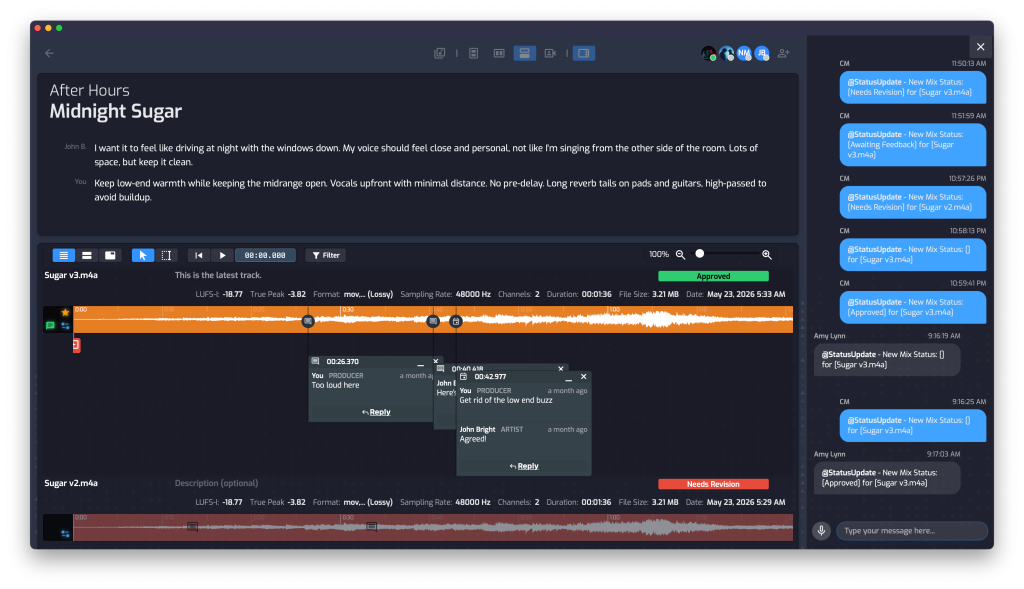
The design principle here: authentication should be invisible infrastructure, not a client-facing gate.
2. Timestamped feedback and status control, instead of email threads
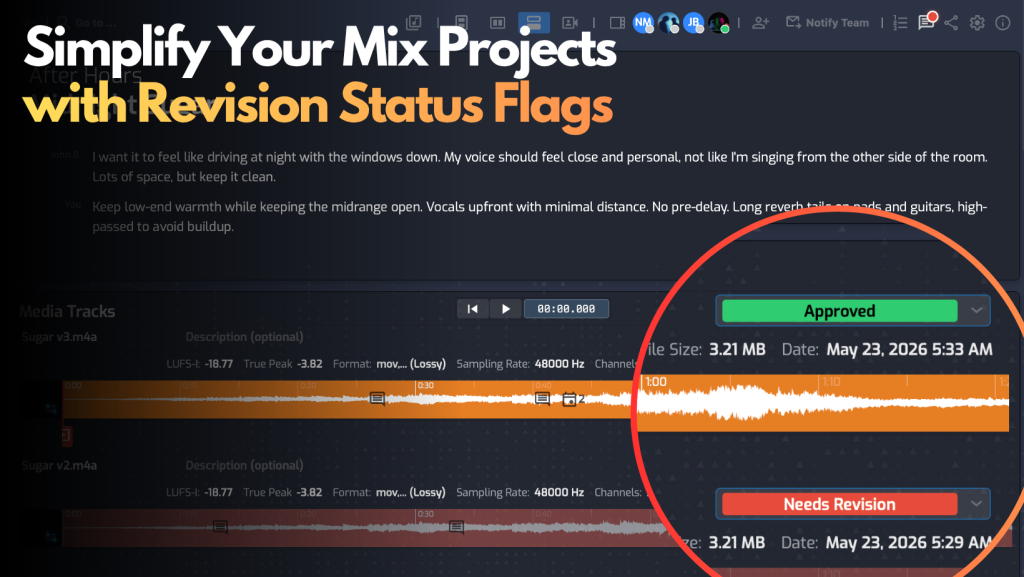
The default workflow for most engineer-client pairs today is a file-sharing service plus email. That combination works, but it wasn’t built for audio feedback — there’s no way to anchor a comment to a timestamp in a mix, so clients end up writing “the part around 2 minutes in, right before the chorus” in an email, and engineers end up guessing. Multiply that across a few revisions and you get long, low-signal threads and no persistent record of what was actually asked for.
What we built: Clients can drop a timestamped comment directly on a mix — text or voice — anchored to the exact moment they’re referencing. Each revision also carries a Status Control (Changes Needed, Approved, etc.), and every status change is logged automatically in the project’s chat stream. The result is a single, ordered history: what was said, when, and what happened next — visible to both sides without anyone having to reconstruct it from old emails.
We considered making status a generic tag, the way some engineers currently repurpose file-service tags to mean “approved” or “needs work.” We didn’t, because a tag with no fixed vocabulary and no audit trail isn’t really status tracking — it’s a label two people have privately agreed to interpret the same way. A dedicated status field with a logged history is a small structural difference that removes an entire category of “wait, did we approve this one?” conversations.
3. Level-matched A/B testing, built in
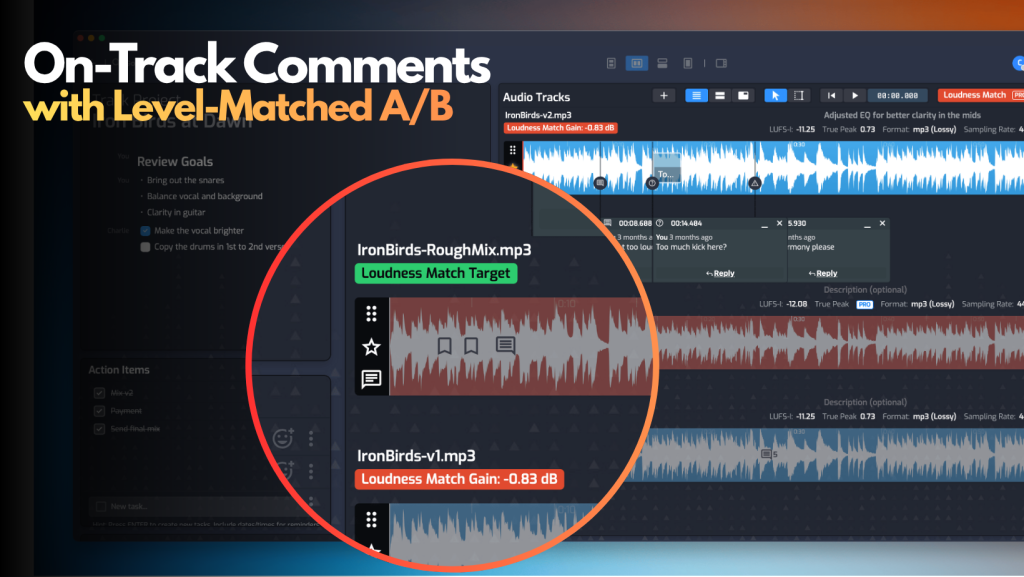
Ear fatigue is a real variable in mix review, and so is the fact that two revisions played at different loudness will always sound different even when the actual mix decisions are close. In addition, this capability makes it easy to compare mix revisions against reference tracks, too.
Most review tools focus on timestamped comments, but very few review platforms — even ones built specifically for audio — offer level-matched comparison at such an easily accessible fashion.
What we built: A/B testing with automatic loudness matching, available on any two revisions in a project. This isn’t a novelty feature; it changes what a client is actually evaluating. Without comparison, the client needs to remember what the previous version sounded like, and mentally compute the differences. Without level matching, “louder” often gets misread as “better,” which pushes engineers toward loudness decisions they wouldn’t otherwise make.
4. Mobile as a first-class surface, not a fallback
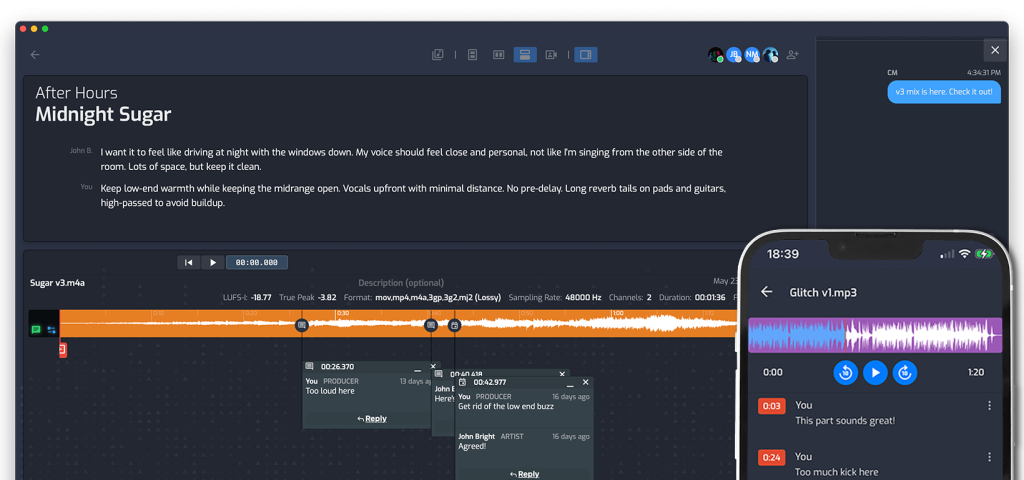
A large share of client feedback now happens on a phone — someone taps a link from an email between meetings and wants to listen, comment, and move on. If that experience is a scaled-down version of the desktop tool, most of it goes unused.
What we built: The track workspace, comment flow, and A/B comparison are all built for mobile use directly, not adapted after the fact and nothing for clients to install. Recent updates specifically improved comment reading and timestamped comment entry on mobile, since that’s where a meaningful share of client engagement actually happens.
5. File requests that carry context, not just files
Getting stems, references, or revision notes from a client is usually handled through whatever file service both sides happen to have — Dropbox being the most common. Dropbox’s file request feature works, but it’s generic: the client lands on a Dropbox screen with no indication of what project this is, who the engineer is, or what’s actually needed from them. Any instructions have to be communicated separately, usually by email, which means they’re disconnected from the upload itself.
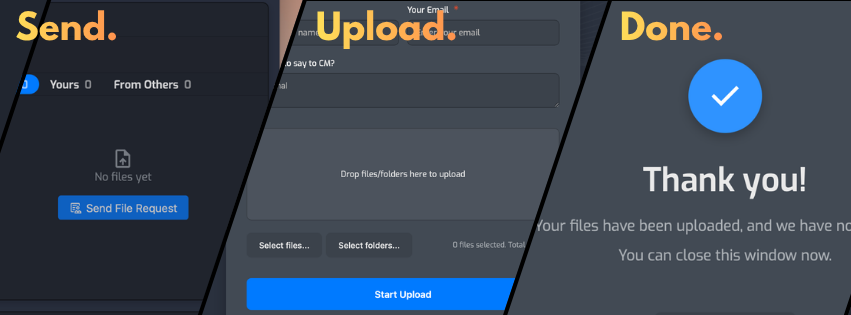
What we built: A file request built for the production context. The client-facing page shows the project title, the engineer’s name, and any custom notes the engineer wrote — so it reads as a professional, project-specific request rather than a generic upload form. Clients upload files and leave notes in one step, no sign-in required. On the engineer’s side, uploaded files land directly in the project’s Files pod and notes appear in the workspace — no manual sorting.
Why this matters, even on quick projects
Every one of these changes reduces steps rather than adding features on top of the existing workflow. That distinction matters most on short projects — a single-revision mix note, a same-day turnaround — where the overhead of account creation, email coordination, and manual file handling can outweigh the actual review time. On a project like that, cutting client onboarding to one click and folding status, comments, and files into a single workspace isn’t a convenience — it’s the difference between a same-day turnaround and a two-day one.
None of this replaces good communication between engineer and client. It just removes the tooling gaps that used to get in the way of it.
If you want to see how Opusonix can help you with your projects, you can start a 7-day Pro trial at opusonix.com/signup.