
Google Drive vs. Dropbox vs. a Purpose-Built Music Workspace: What Producers Actually Need
Table of Contents
If you’re managing music projects with Google Drive or Dropbox, you’re not doing it wrong — you’re just using tools that weren’t built for this.
File storage platforms are good at one thing: storing files. But a music production project isn’t just a collection of files. It’s mixes that need to be reviewed, feedback that needs to be tied to specific moments, a team that needs to stay aligned, and a history of decisions that shouldn’t live in anyone’s memory. Google Drive and Dropbox handle none of that.
Here’s an honest look at where each tool fits — and where it runs out of road.
Google Drive: Familiar, Flexible, and Quickly Messy
Google Drive works well for documents and simple file sharing. Most people already have it, which makes it an easy default when a project spins up.
The problems show up fast:
Folder structures become a full-time job. Every producer develops their own naming conventions — /ProjectName/Mixes/v3_FINAL_mastered_2 — and they still end up texting collaborators to ask which file is the right one. There’s no concept of “current version” baked in. It’s just files.
There’s no audio review. You can store an MP3. You cannot leave a comment at 2:14 where the vocal gets buried. Feedback happens somewhere else — in a thread, in an email — and quickly loses its connection to the audio it’s about.
Context lives nowhere. The notes about this track, the deadline for this mix, the conversation about whether the bridge should be cut — none of it is in Google Drive. It’s scattered across Docs, Gmail, and someone’s iPhone notes app.
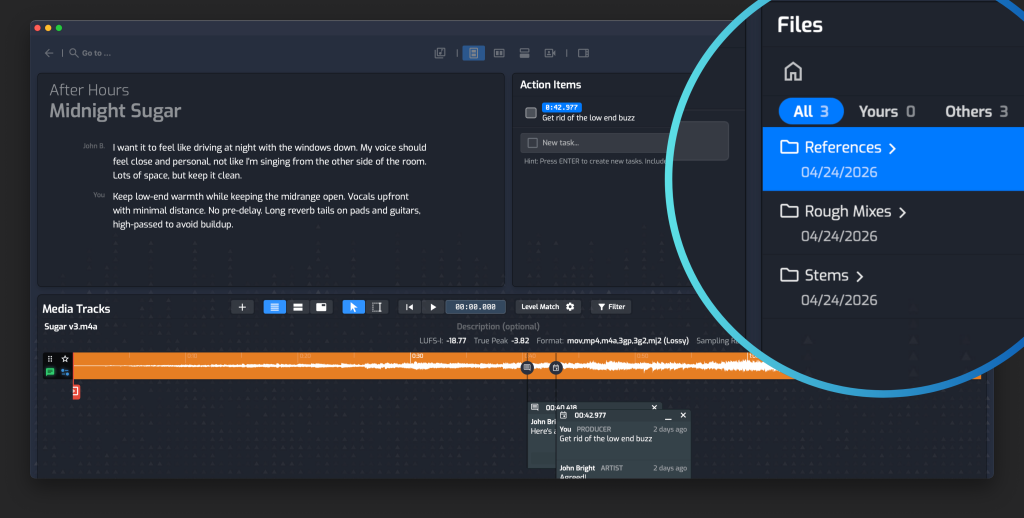
Opusonix keeps every project’s files in a dedicated Files pod tied directly to the track workspace — alongside the mixes, notes, and team communication. No folder structures to design or maintain.
Dropbox: More Reliable, Same Blind Spots
Dropbox has better sync reliability and a cleaner interface than Drive for pure file management. For larger session files or stems, it holds up better under pressure.
But the core limitations are the same:
Version history exists, but it’s not built for mix review. Dropbox can show you previous versions of a file, but it can’t play two mixes back-to-back at matched loudness so you can hear the difference in real time. That’s a different problem entirely.
Sharing links create confusion at scale. Send a Dropbox link to your mix engineer, your artist, and your A&R contact — and now three people have three different links, none of which update automatically when you upload v4. Someone could always be working from the wrong file.
It still doesn’t know what a mix is. Dropbox treats an MP3 like any other file. It has no concept of “this is mix revision 3 of Track 2 on this album.” That context has to be recreated manually, every time.
File Requests are genuinely useful. Dropbox’s File Request feature is one of its best — you send a link, the artist uploads without needing an account, and the files arrive in your Dropbox. It’s a smooth experience that a lot of producers already rely on. The one limitation is that the files land in a general Dropbox folder, separate from everything else about the project. Moving them into the right place is a small but recurring manual step.x
What a Purpose-Built Music Workspace Actually Does Differently
The gap isn’t about storage capacity or sync speed. It’s about what the tool understands.
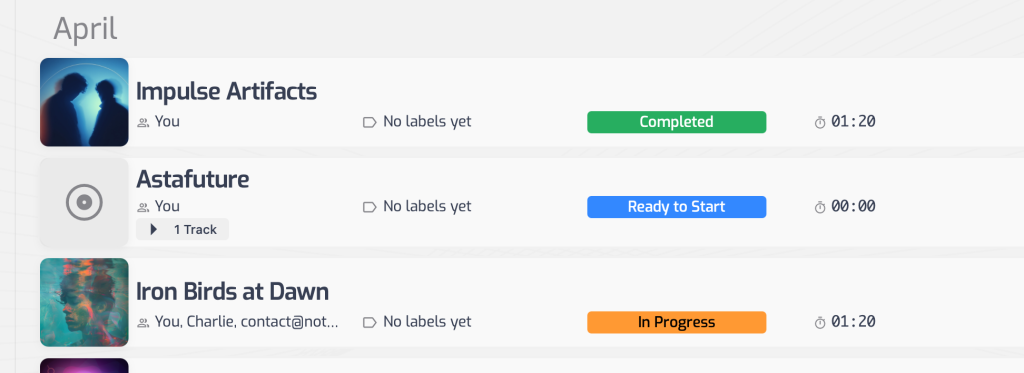
Google Drive and Dropbox understand files. Opusonix understands projects — and the difference shows up at every stage of the work.
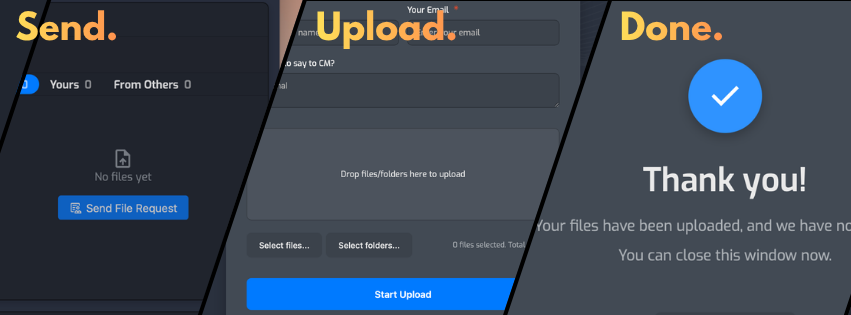
File requests built for music projects. Opusonix has file requests too, and the upload experience is equally seamless — no account required. What makes it different is the context around it. The request is framed like a message, not a generic upload prompt: the artist receives an email that reads “{Engineer Name} has requested you to upload files for {Track Name},” lands on a page with a custom note from the engineer, and sees a notes field that says “Anything to say to {Engineer Name}?” — so they can pass along relevant context right alongside the files. Everything — the files and the notes — arrives directly inside the track workspace it belongs to, with nothing to sort or move.
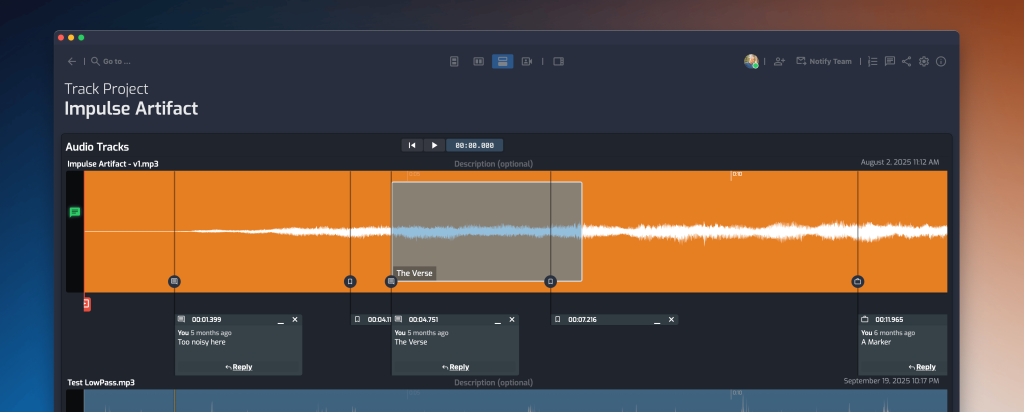
Feedback that stays with the audio. Timestamped comments, voice messages, and drawn selections on the waveform mean feedback is specific, actionable, and permanently tied to the moment it refers to.
Delivery without the cleanup. When the project is done, generate an export. Opusonix packages the right files, sends them to the right people, and the download link expires automatically after 7 days. Nothing to tidy up.
A catalog that builds itself. Over time, Opusonix becomes a searchable library of your production work — organized by project, always accessible, never buried in a nested folder structure on someone’s hard drive.
The Right Tool for the Right Job
Use Google Drive or Dropbox for what they’re good at: general file storage, sharing documents, syncing large session files with your engineer.
But for managing the actual project — the mixes, the feedback, the team, the timeline, the delivery — those tools will always leave gaps that you fill manually, repeatedly, on every project.
Opusonix is built to close those gaps. If your current setup involves more than one app just to manage a single track project, it’s worth taking a look.