
4 Techniques to Handle Client Feedback You Can’t Hear in a Mix
The Scenario
Every engineer runs into this: a client reports an issue in a mix, but you just aren’t sure what it is. This can quickly turn into frustration on both sides if not handled well.
Before assuming anything is wrong with your ears or theirs — it’s worth recognizing that several common factors can cause this disconnect:
- Clients may use incorrect or imprecise terminology
- Timing references may be off
- There may be confusion about which mix version is being reviewed
Instead of debating perception, there are a few things that you can do to handle this situation professionally and efficiently.
Suggestions for Resolving the Issue
1. Use a Dedicated Mix Review System
Relying on email threads or scattered messages introduces unnecessary ambiguity. A structured review platform like Opusonix or Pibox keeps feedback directly tied to specific mix versions.
This simple shift:
- Eliminates version confusion
- Ensures everyone is literally on the same page
- Reduces back-and-forth clarification
2. Anchor Feedback to Exact Moments
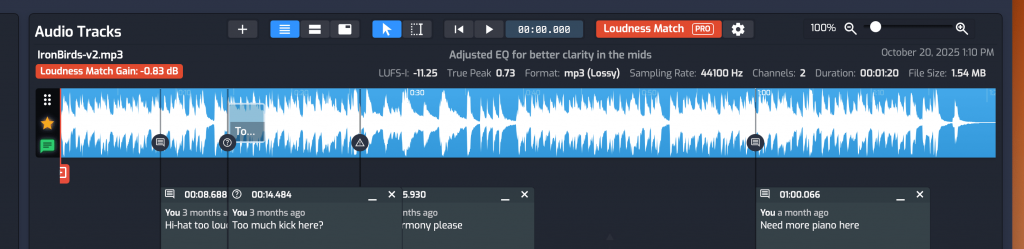
Timing discrepancies are extremely common. A client saying “around the chorus” or “somewhere in the middle” is often not precise enough.
Using a system that allows comments to be placed directly on the waveform or timeline ensures:
- You know exactly when the issue occurs
- You don’t waste time searching for it
- Misinterpretation is minimized
3. Accept That Describing Sound Is Hard
Even experienced musicians struggle to describe audio issues accurately. Expecting non-technical clients to use precise terminology often leads to confusion.
A more effective approach is to let them communicate naturally:
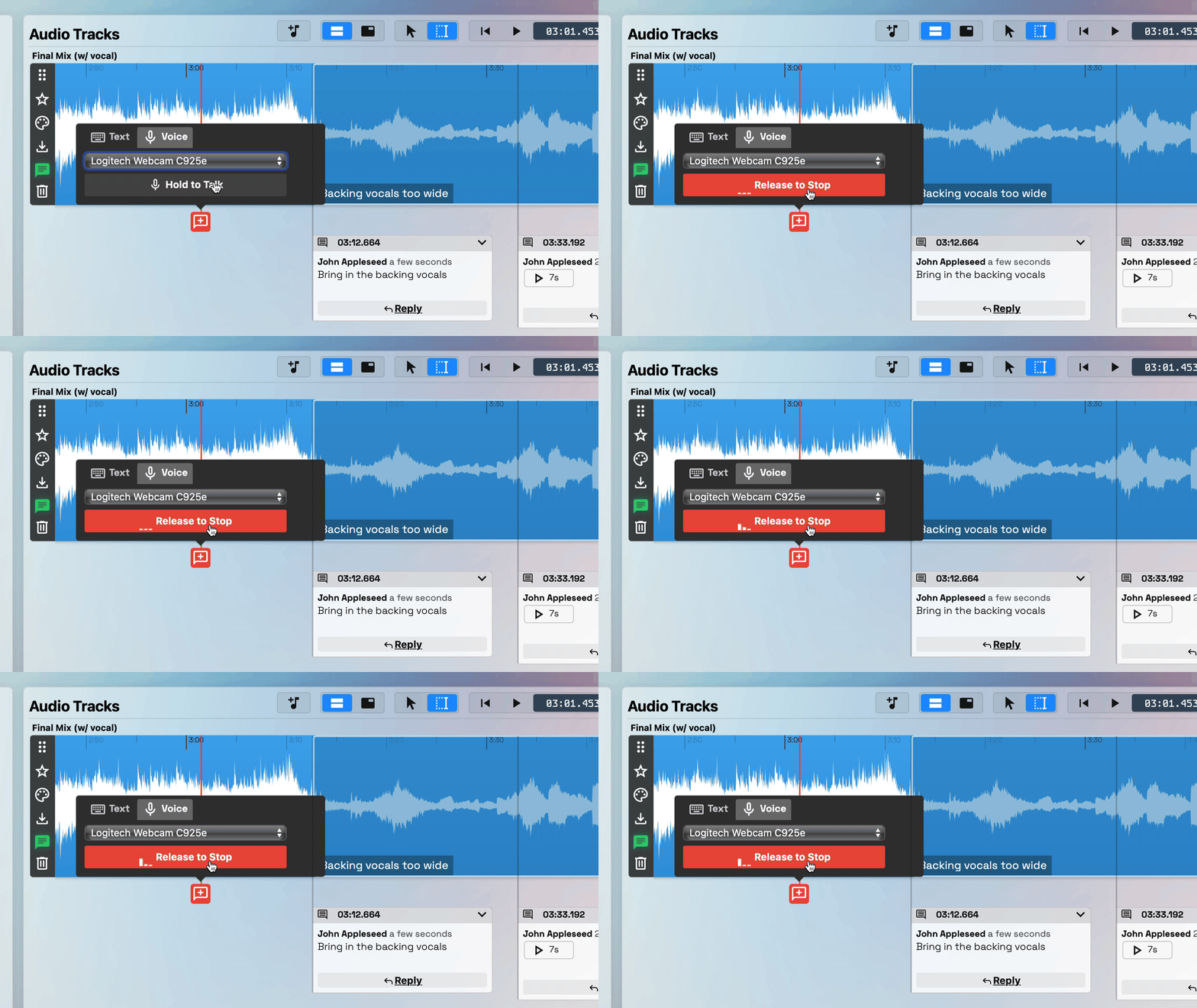
- Encourage voice memos directly on the track
- Let them hum, describe, or react in their own words
This removes the pressure of “saying it correctly” and gives you richer context to interpret what they mean.
4. A/B Test Between Revisions
Sometimes the issue isn’t obvious because it’s subtle. It’s possible that it may not exist at all.
A quick A/B comparison between mix versions can:
- Help clients pinpoint what they’re hearing
- Reveal differences more clearly
- Confirm whether the issue is real or perceived
This step often resolves ambiguity faster than extended discussion.
Final Thought
When a client hears something you don’t, it’s rarely about who’s right. It’s usually a workflow problem, not a listening problem.
By structuring feedback, anchoring timing, enabling natural communication, and using A/B comparisons, you can turn a frustrating situation into a smooth and efficient process.