Opusonix 2.1: Introducing the Project Planner for Faster, Smarter Collaboration
Starting a new project shouldn’t feel like a project in itself. That’s why Opusonix introduces the new Project Planner — a faster, smarter way for audio engineers to kick off work with clients.
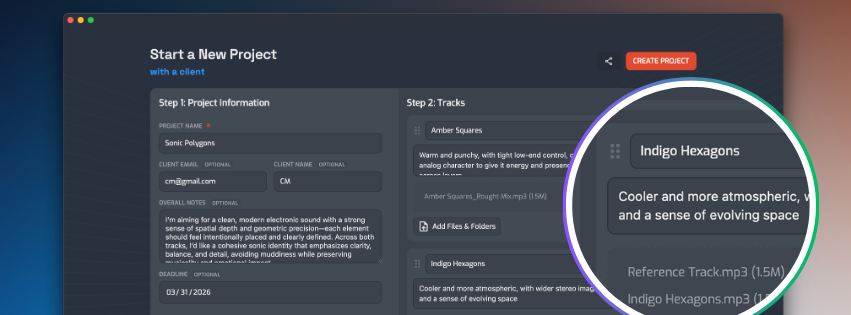
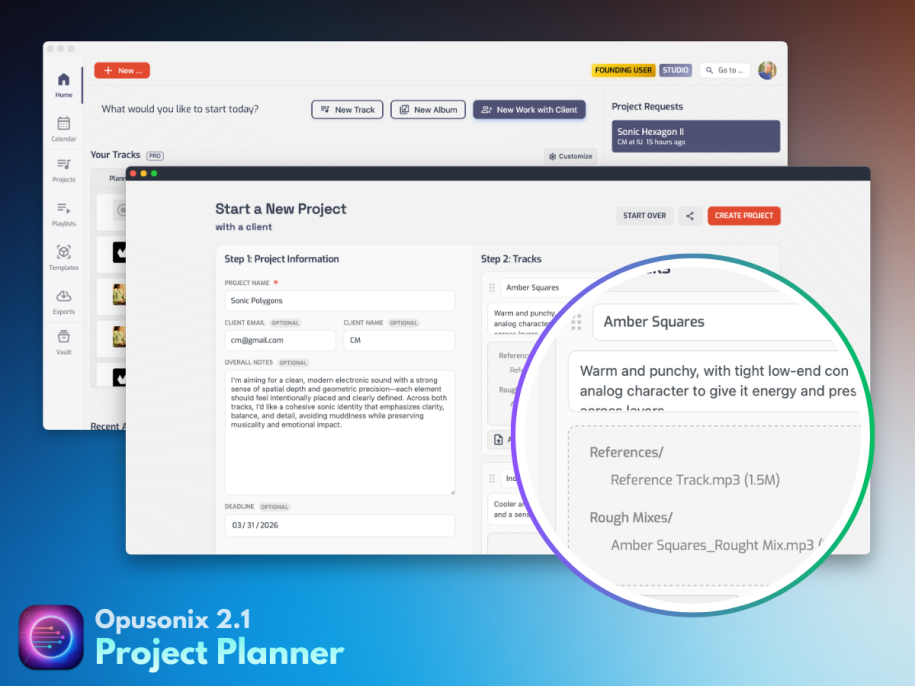
From a single screen, you can set up everything: project title, notes, client details, deadlines, and multiple track projects—each with its own notes and file uploads. Everything is instantly organized into one workspace, ready for mix review and collaboration.
Built for Speed and Clarity
No more back-and-forth emails or scattered assets. Project Planner ensures that tracks, notes, and files are structured from the start — making it easier for both engineers and clients to stay aligned inside a modern music collaboration platform.
Set up projects, drop in assets, set up deadlines and configure client info. All in one screen.
Seamless Client Experience
Clients are automatically invited with full context, so they can jump in and start collaborating right away—no confusion, no friction.
Guest Access: Projects on Autopilot
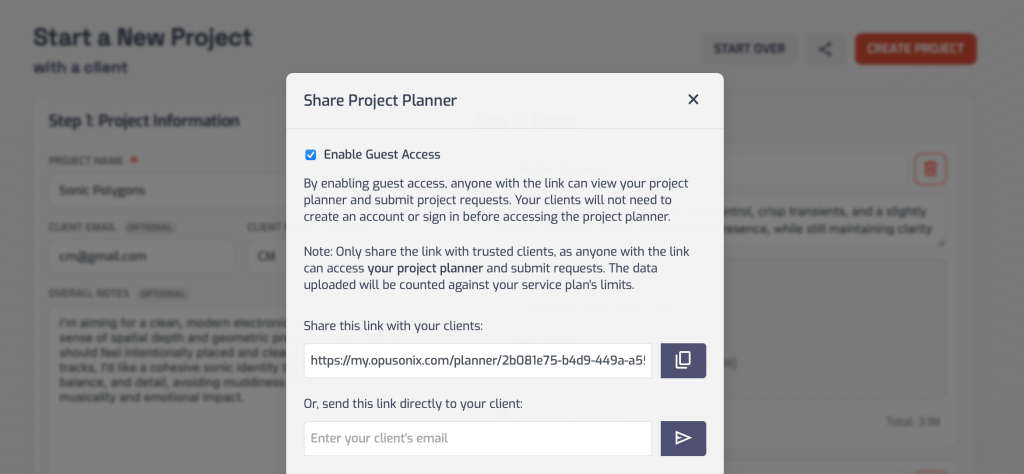
With Guest Access (a Pro feature), you can share or embed a Project Planner right on your own website, allowing your clients to submit project requests on their own.
How To
Click on “New Work with Client” from your Opusonix Dashboard
Once there, click on the “Share” button near the top right corner
Enable Guest Access (this requires an Opusonix Pro account)
Copy the link, or send the link to someone directly by entering their email address.
Let your client make project requests (and upload assets) with ease
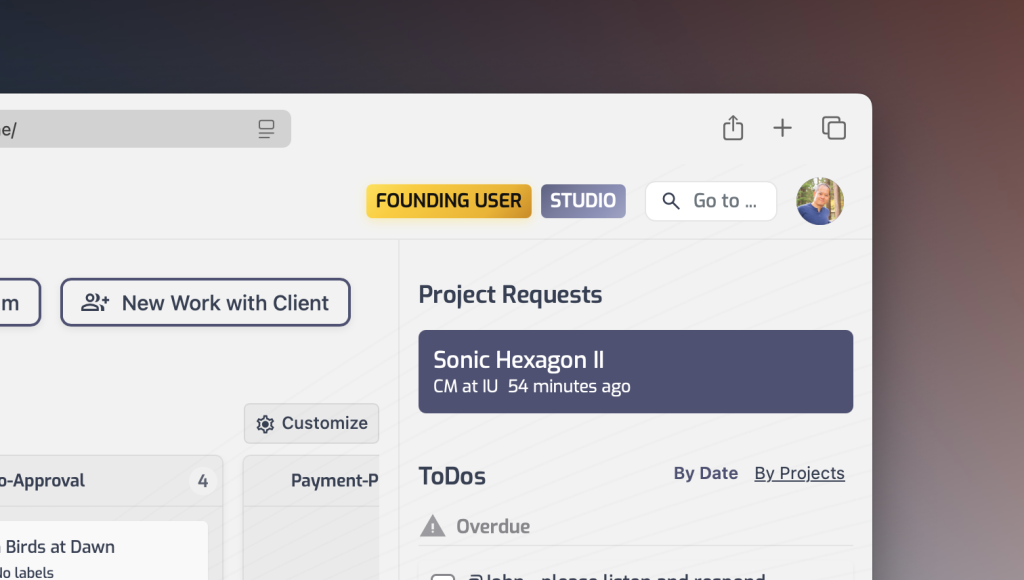
Your client can fill out all the information and upload the assets with ease. Once the project request has been submitted, you can review and accept requests instantly—and when you do, everything is already set up: files uploaded, tracks organized, and your client ready to go.
Review and accept project requests with a single click
Why It Matters
For engineers: save time, reduce admin work, and scale your workflow
For clients: start projects easily with a clear, professional experience
Project Planner removes the biggest bottleneck in audio production — getting started — so you can focus on what matters most: the music.