Introducing Video Preview Pod: A/B Test Your Mixes — With Picture
Opusonix just became even more powerful for time-based media.
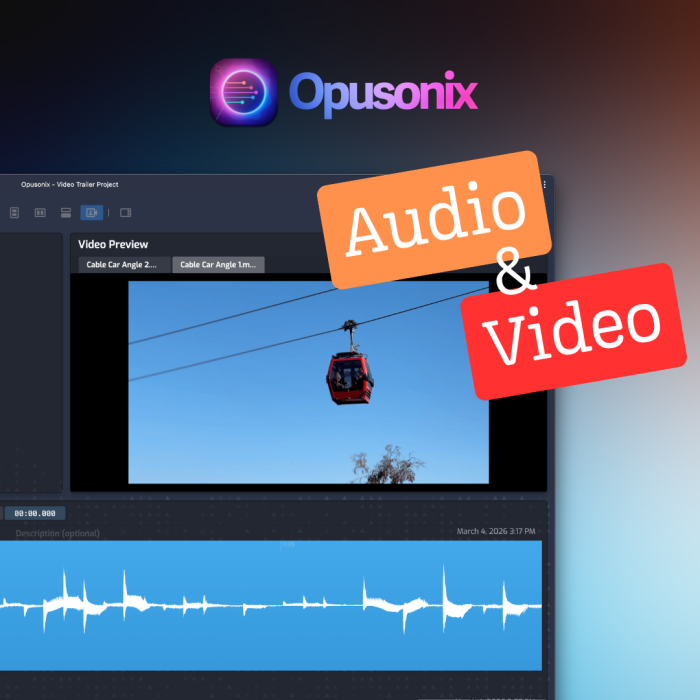
We’re excited to announce the release of Video Mode and the new Video Preview Pod inside track projects. If you upload a video file (such as an MP4) into the Media Tracks pod, you can now switch to Video Mode and render that video directly inside your project — fully synced with your audio tracks and revisions.
This unlocks seamless A/B testing with picture — exactly where critical decisions belong.
The Video Preview Pod
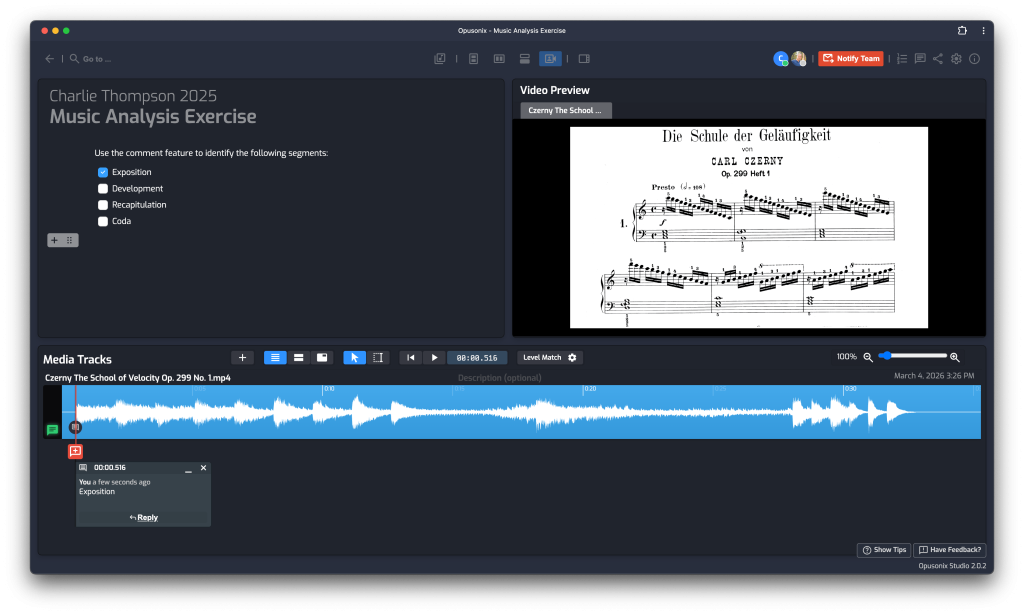
When Video Mode is enabled, your track project now features a dedicated Video Preview Pod that renders the video file you uploaded.
From there, you can:
Conduct Audio A/B Tests While Video Plays
The video continues playing while you switch between mix revisions.
That means you can:
Compare orchestration changes against picture
Test dialogue clarity in context
Evaluate impact moments and transitions
Decide which mix truly works best for the scene
No stopping playback. No re-syncing. No jumping between apps.
Just seamless, in-context decision making.
Yes — level matching still applies.
You can conduct level-matched A/B tests across mix revisions while the video is playing, ensuring that your judgment isn’t influenced by loudness differences.
This is critical in post-production and trailer work, where perceived impact can easily be mistaken for volume changes rather than actual mix improvements.
Video A/B Testing
Upload more than one video file into the Media Tracks pod?
You can now switch between video previews without stopping A/V playback.
That means you can:
Compare two edits of the same scene
Evaluate pacing changes
Test alternate visual cuts
Conduct video A/B tests alongside audio revisions
This transforms Opusonix into a structured comparison environment for both sound and picture.
Designed for Real-World Workflows
By default, Video Mode features:
Track Notes Pod
Video Preview Pod
Media Tracks Pod
This layout is intentionally designed for:
Soundtrack planning
Post-production critique sessions
Trailer mix reviews
Educational analysis and classroom settings
You can take notes while playback is in progress, making critique sessions far more efficient.
Need more screen space?
The Video Preview Pod can be maximized. When maximized, it occupies the entire row and splits the screen estate evenly with the audio tracks — automatically hiding the Notes pod to reduce visual clutter and keep your focus on picture and sound.
Why This Matters
Time-based media demands time-synced evaluation.
Until now, many workflows required:
Running video in a separate player
Repeatedly stopping playback to switch versions
Manually syncing audio comparisons
Guessing how revisions feel in context
With Video Preview Pod, everything happens in one unified space.
Powerful Use Cases
Post-Production
Evaluate dialogue mixes, sound design intensity, and scoring adjustments directly against the cut. Compare revisions without breaking flow.
Trailer Production
Test impact moments, drops, transitions, and loudness decisions with level-matched A/B testing — while the trailer continues playing.
Digital Storytelling
Experiment with pacing, emotional timing, and narrative rhythm across multiple visual and audio iterations.
Music & Media Education
Instructors can embed video resources and conduct live critique sessions with timestamped notes. Students can compose to picture, compare cue versions, and receive contextual feedback — all inside one environment.
A Step Forward for Time-Based Media Collaboration
Opusonix was built to streamline structured review and decision-making for audio projects. With Video Mode and the Video Preview Pod, that vision now extends fully into picture.
You can now compare mixes in context.
Compare edits in motion.
And make confident creative decisions — without workflow friction.
Video Mode is available now in track projects.
Turn it on. Upload your video. And experience A/B testing the way it should be — with picture.