
Best Practices for Music Production Collaboration — From a Working Pro Engineer
(How Matt Vice of NapTown Sounds LLC Builds Structure from Day 1)
Table of Contents
Most engineers start the same way:
Google Drive (or Dropbox, Sync.com, WeTransfer), paired with email and text messages.
Most will set up some form of file-sharing service at the beginning of a project — and that’s a smart first step. But collaboration requires far more than file storage and exchange. Files are only one piece of the process. Real collaboration involves feedback, decisions, deadlines, revisions, version tracking, and context. A shared folder alone doesn’t handle those layers.
According to Matt Vice, professional audio engineer at NapTown Sounds LLC, traditional file-sharing setups work only because the engineer constantly bridges the gaps — tracking versions, clarifying which link is current, chasing feedback, and manually organizing everything.
“It’s not that the tools are bad,” Matt explains. “It’s that they’re disconnected. The engineer ends up being the glue.”
Over time, Matt shifted to using an integrated collaboration system from the very beginning of each project. The result: less mental overhead, clearer communication, and a more professional client experience.
Here’s how he does it.
1. Use a Dedicated Collaborative Workspace — Even for Local Clients
Even when clients are local, Matt creates a collaborative workspace at the start of every project.
“In-studio sessions are great,” he says. “But collaboration doesn’t stop when everyone leaves.”
Clients review mixes later in their car. They send notes at night. Weeks later, someone asks which version was approved. A centralized workspace becomes the project’s single source of truth — independent of inboxes, memory, or scattered links.
When clients are remote, that structure becomes essential.
Matt typically begins remote projects with a Zoom call to align on vision, scope, and expectations. But from that moment on, the Track Project becomes the working environment. It supports both real-time and asynchronous collaboration naturally — clients can leave feedback whenever it suits them, and Matt can respond on his own schedule without losing context.
Occasionally, he’ll schedule a Zoom call with screen sharing while working inside his DAW to discuss real-time decisions. But even during those sessions, notes, tasks, and mixes live inside the project workspace — not in temporary meeting chats.
“The video call is just the conversation,” Matt explains. “The workspace is where the project actually lives.”
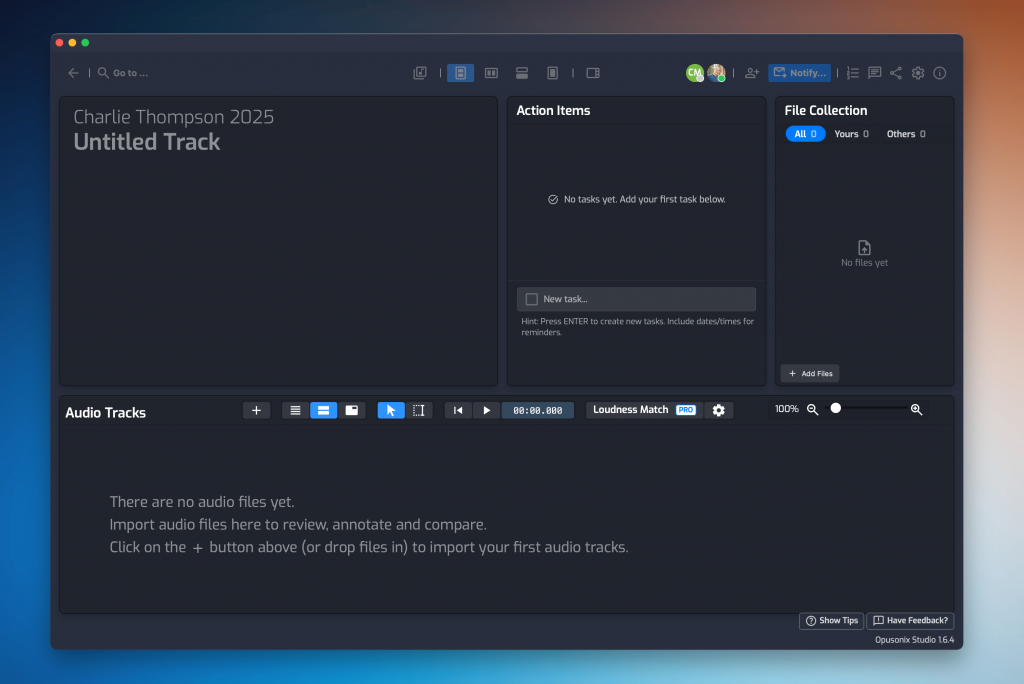
Matt creates a Track Project as soon as a song is confirmed. Instead of sending links around, he invites collaborators directly into the workspace. From that moment forward, everything lives in one place.
2. Create the Workspace Early — Not at the First Revision
Don’t wait until mix revisions to start the workspace.
Matt sets up the workspace during:
Brainstorming
Demo exchange
Production planning
Early reference sharing
“I love having the band add notes and reference links that describe what the album should sound like. I start my mixes with the destination in mind, and doing so has greatly reduced the amount of time spent on revisions.”
In a Track Project in Opusonix:
Notes Pod → Creative direction, session notes, decisions
Tasks Section → Action items from meetings
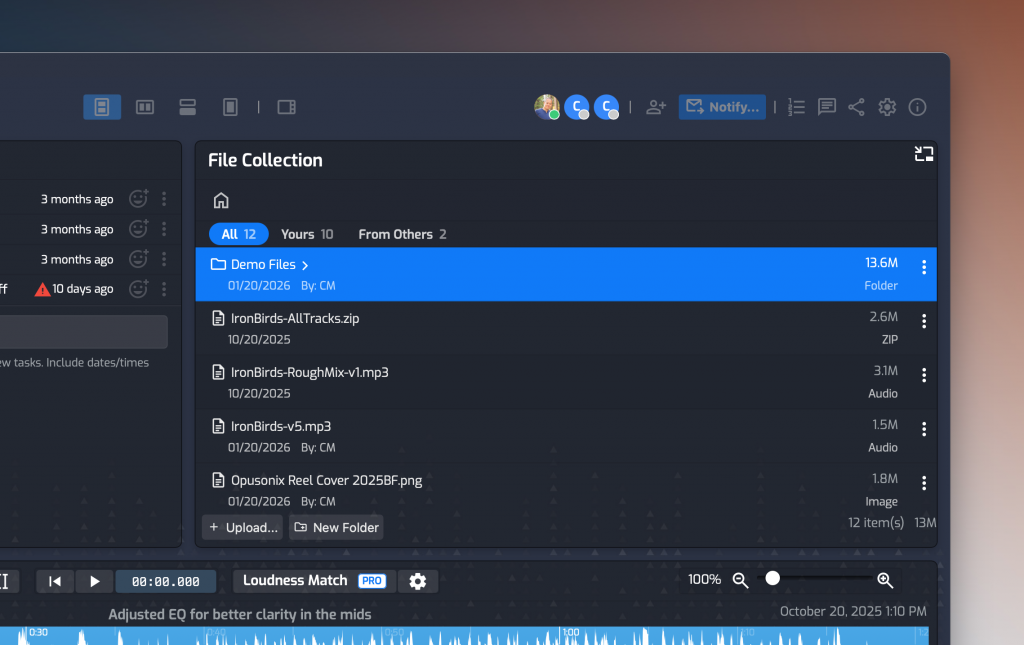
Files Pod → Demos, stems, charts, contracts
Audio Tracks Pod → Rough mixes and references
By mix stage, everything already has context.
“I know the band will want to hear rough mixes from the recording session as soon as they can, so my first step is to start an Album project and invite everyone that needs access. I usually have song names entered and some audio uploaded. Opusonix automatically makes an online playlist for me to share with the band, and the playlist updates whenever I add new mixes.”
3. Centralize Files and Communication
Before moving to an integrated system, Matt relied on carefully planned folder hierarchies for every project — separating session files, multitracks, edited audio, mix revisions, alternate versions, masters, references, and contracts into a structured system that had to be consistently maintained.
That structure wasn’t optional. It was essential for finding the right files quickly and generating the correct share links for clients without sending the wrong version.
“It worked,” Matt says. “But it required constant discipline.”
The complexity wasn’t just in creating the folders — it was in maintaining them as the project evolved. Every revision, alternate mix, and master export had to land in the right place. And even with perfect organization, the conversation about those files still lived elsewhere — usually in email threads.
“Cloud storage quickly turns into archives I need to maintain. In Opusonix my data is all organized by song or track.”
With an integrated collaboration system, that burden drops dramatically.
Instead of engineering a master folder tree across multiple platforms, everything related to the project lives inside the project workspace itself. Files aren’t separated from discussions, tasks, and mixes — they exist alongside them.
You can still create folders within the workspace if needed. But the structure becomes contextual and far simpler. If it belongs to this project, it lives inside this project.
4. Use On-Context Feedback to Improve Both Precision and Conversation
Email feedback often sounds like:
“At 1:32 maybe the guitars are wide?”
Even when timestamps are included, the discussion still lives outside the music. That separation creates friction — and friction reduces clarity.
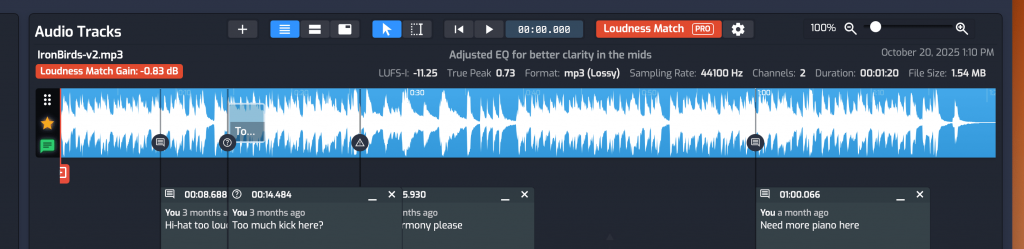
Matt prefers timestamped, on-track comments because they don’t just improve precision — they improve the quality of the conversation.
“When feedback lives directly on the timeline, the discussion becomes faster and clearer,” he explains.
On-context comments drastically reduce friction. There’s no need to describe where something happens. No need to quote timestamps repeatedly in long email threads. No need to clarify which version someone is referencing.
The result:
More efficient discussions
Better creative decisions
Fewer email threads
Shorter revision cycles
A stronger final product
When communication becomes easier, people naturally engage more thoughtfully. That leads to better mixes.
How to Do This in Opusonix
In the Audio Tracks Pod, collaborators press M during playback to drop a marker at the exact moment, or press and hold M to create regions on the fly. They can leave text or voice comments directly on the waveform.
The feedback can be in text form, or even in audio form. This allows the client to simply talk through what they’re hearing, or even hum a melodic idea. Complex musical details become easier to communicate. Also – all voice comments are automatically transcribed, so the content remains searchable and readable alongside text feedback.
Conversations stay attached to that specific musical moment. When resolved, comments are marked complete — preserving history without clutter.
From a client’s perspective, this feels structured, modern, and professional. And from the engineer’s perspective, it removes unnecessary communication overhead.
5. Track Tasks and Deadlines Transparently
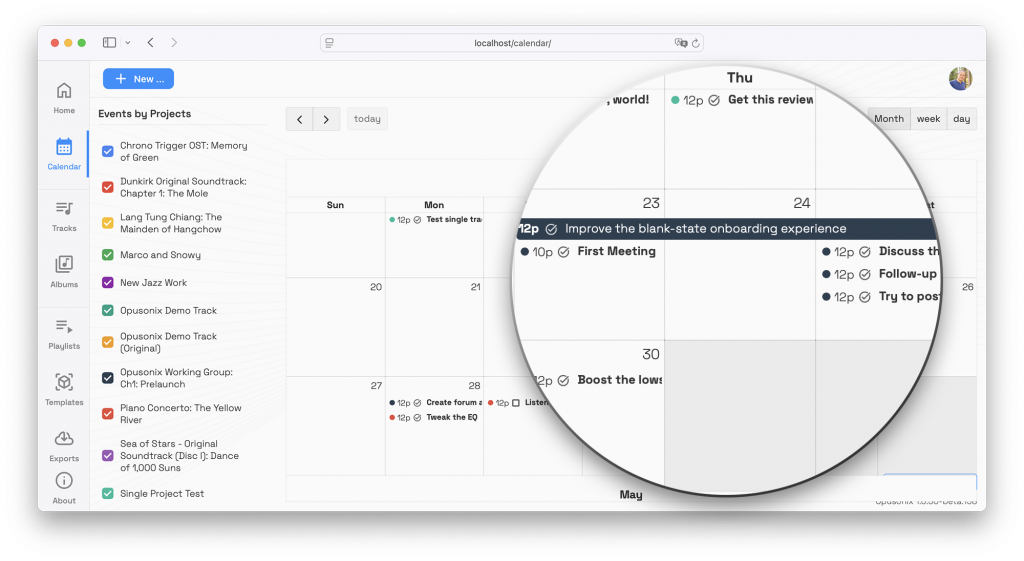
Rather than managing deadlines privately, Matt makes milestones visible:
Mix due dates
Client review windows
Mastering timelines
“When clients can see the plan, they don’t have to ask,” he says.
Transparency reduces follow-up emails and builds trust.
6. Make Final Delivery Seamless
Project endings are often the most chaotic part of the process: exporting multiple versions, renaming files carefully, creating ZIP folders, uploading them to cloud storage, generating links, emailing the client, and then remembering to clean everything up later.
Matt used to treat delivery as a separate task. Now it’s simply the final step inside the same workspace that housed the entire project.
Because everything has lived in one place from day one, delivery becomes structured and predictable.
How to Do This in Opusonix
When the project is complete, Matt uses Share → Export inside the Track Project.
From there, he can:
Select exactly which mixes to include
Include alternative mix revisions if needed
Choose the recipient (the client)
Opusonix automatically packages the selected track files into a ZIP archive and sends an email directly to the client. The client can download the final mix straight from that email — no manual link copying required.
Exports automatically expire after two weeks, with reminder emails sent to the client if the files haven’t been downloaded. There’s no need for manual cleanup or link management.
And if the client wants more than just the final mix, Matt can transfer full ownership of the workspace. With a few clicks, the client takes over the entire project environment — not just the files, but the documented history: notes, discussions, revisions, and decisions.
The final delivery becomes more than a folder of audio files. It becomes a complete project archive.
Professional. Organized. Clean.
Final Thoughts
Cloud storage plus email works — but it depends heavily on the engineer’s attention to hold everything together.
Matt’s approach at NapTown Sounds LLC is different. Whether clients are across town or across the world, he builds structure from the start. Zoom calls handle face-to-face conversation when needed. Studio sessions handle creative momentum. But the collaborative workspace is where the project actually lives.
Files, feedback, tasks, revisions, decisions, and final delivery all exist in one continuous environment.
The result isn’t just cleaner organization. It’s smoother communication, faster decisions, fewer misunderstandings, and a noticeably more professional experience for clients.
For early-career engineers especially, this shift is powerful. You stop acting as the manual glue between scattered tools — and start working inside a system designed to support collaboration properly.
Structure doesn’t slow creativity down.
It protects it, documents it, and helps it scale.